AI Agents for SaaS: How to Add Your First Agent Without the Hype
Agents are everywhere in product announcements. Here is how to add a first AI agent to your SaaS product that users trust: one narrow job, safe tools, human approval, and real measurement.
 Code Nativex TeamEngineering
Product announcements this month are full of agents: always-on assistants, agent fleets, autonomous workflows. If you run a software product, the pressure to ship something agentic is real. But AI agents for SaaS only create value when they reliably finish a job users actually care about. This guide covers how to add your first agent the practical way: what an agent really is, how to pick its first job, how to connect it to your product safely, and how to tell whether it is working.
What an AI agent actually is
An agent is a language model that can take actions. Instead of only answering a question, it decides which steps to take and calls your product's functions, such as searching records, creating a ticket, or drafting a report, until a task is done.
It helps to separate two patterns, a distinction Anthropic draws clearly in its guide to building effective agents:
- Workflows: the model works inside steps you define in code. For example: read the ticket, classify it, draft a reply, then wait for review.
- Agents: the model decides the steps itself, choosing which tools to call and when to stop.
Most products should start with workflows. They are more predictable, cheaper to run, and easier to test. Move to a true agent only when the task genuinely varies too much to script.
Pick the first job carefully
The single biggest predictor of success is the first use case. A good first job for an agent is:
- Frequent: users do it often enough that saving time matters.
- Multi-step and tedious: it involves gathering information from several places or repeating the same steps.
- Low risk: a mistake is easy to spot and cheap to undo.
- Easy to verify: a person can check the result at a glance.
Good examples in SaaS products include triaging and drafting replies to support tickets, cleaning up and enriching customer records, preparing weekly reports from product data, and answering questions about a user's own account. Poor first choices are anything involving money movement, legal commitments, or irreversible deletes.
Write the job down as a one-sentence promise, for example: "The agent drafts a reply to every new support ticket within a minute, using our help docs and the customer's account history." If you cannot write that sentence, the use case is not ready.
Expose your product as safe tools
An agent is only as useful as the tools it can call. In practice, a tool is a function in your product with a clear name, typed inputs, and a predictable output: search_customers, get_invoice, create_draft_reply.
A few rules keep this safe and maintainable:
- 1.Reuse your existing permissions. The agent should act as the user, with exactly that user's access, never as a superuser.
- 2.Start read-only. Ship tools that look things up before tools that change things.
- 3.Keep tools small and specific.
update_customer_emailis safer and easier for a model to use correctly than a genericupdate_record. - 4.Validate every input. Treat the model's tool calls like any untrusted request from the internet.
Open standards help here. The Model Context Protocol defines a common way to describe tools and data sources to AI models, which makes it easier to plug the same tools into different models and clients later.
Keep a human in the loop
Users trust agents that show their work and ask before acting. The pattern that works best for a first release is an overlay: the agent prepares the work, and a person approves it.
- Show a draft, not a finished action. A reply is drafted, a record change is proposed, a report is generated for review.
- Ask for explicit approval before anything that writes, sends, or spends.
- Make every action easy to undo, and show what the agent did and why.
- Keep the agent optional. Existing workflows should keep working for users who prefer them.
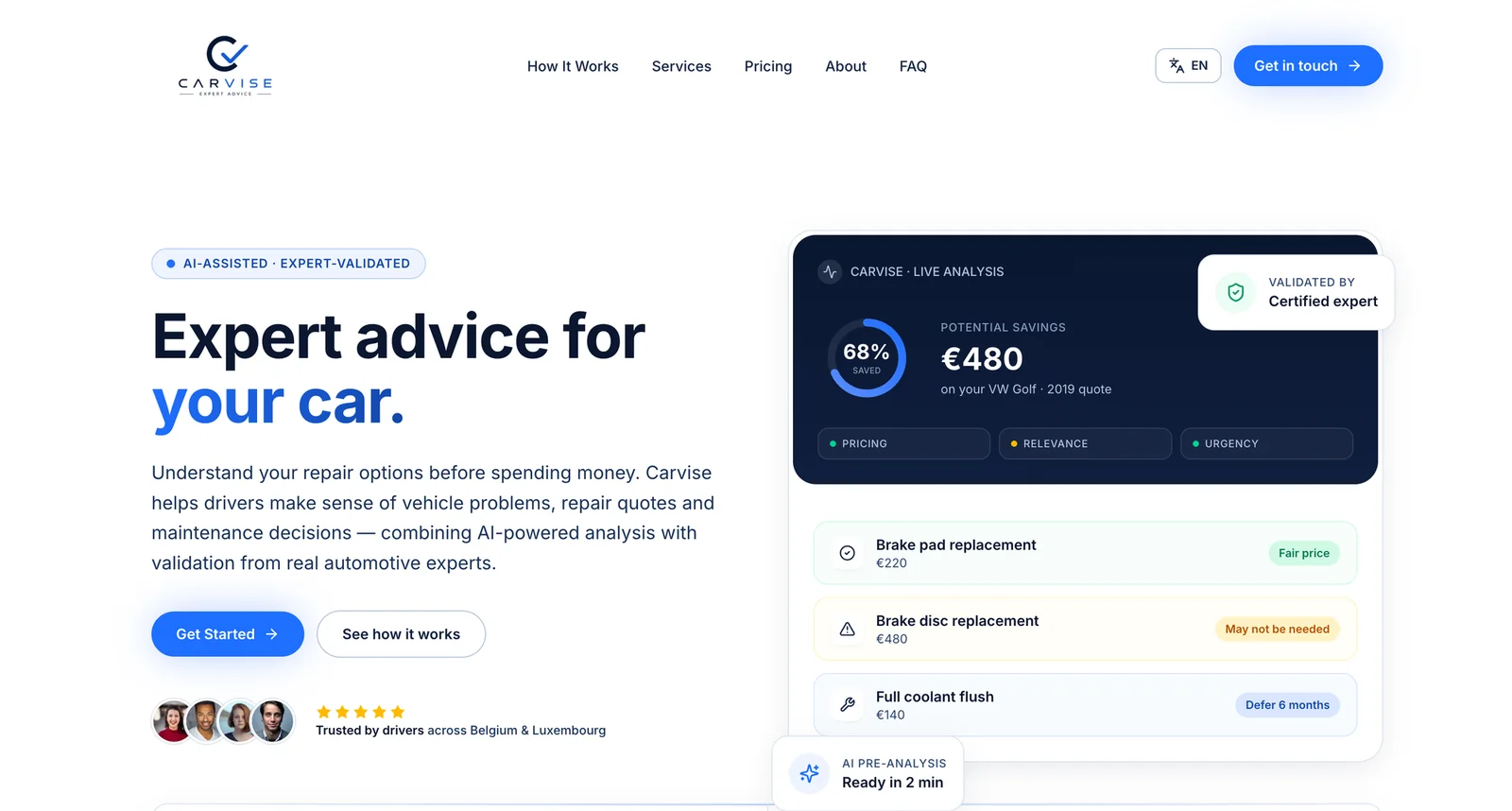
We use the same principle outside agents. In our Carvise case study, AI produces a fast first analysis of a repair quote and a certified expert validates every result before it reaches the driver. Fast AI, accountable people: that combination is what earns trust.
Plan for security from day one
Agents introduce new risks because they read untrusted content and can take actions. The OWASP Top 10 for LLM Applications is the best short checklist. The ones that matter most for SaaS agents:
- Prompt injection. A customer email or uploaded document can contain instructions aimed at the agent. Never let content the agent reads grant it new permissions.
- Excessive agency. Give each agent the fewest, narrowest tools its job needs.
- Sensitive data exposure. Decide what data may be sent to a model provider, and keep secrets and unrelated customer data out of prompts.
Log every step the agent takes, including inputs, tool calls, and outputs, so you can investigate problems and prove what happened.
Measure whether it actually works
"It looked good in the demo" is not a measurement. Before launch, collect a set of real past cases, such as fifty actual support tickets, and define what a good result looks like for each. Run the agent against them every time you change the prompt, the model, or a tool.
After launch, track:
- Task success rate: how often users accept the agent's work with little or no editing.
- Time saved: how long the task took before and after.
- Cost per task: model and infrastructure cost for each completed job.
- Escalations and undo rate: how often people reject or reverse what the agent did.
These numbers tell you whether to expand the agent, tighten it, or retire it. They are also what turns an AI feature into a credible line on your pricing page.
What it takes to build
The model call is the easy part. Most of the work is ordinary product engineering: shaping the job, building safe tools, designing the review experience, adding logging, and testing against real cases. That is good news, because it means you do not need a research team, just a product team that treats the agent like any other feature with users, risks, and metrics.
If you are deciding where an agent fits in your product, our guide to the future of AI in web development covers the wider landscape, and our AI agents and development services cover how we design, build, and ship these features end to end. The foundation matters too, which is why we start from the stack described in how we pick a SaaS tech stack.
The bottom line
Skip the hype and start narrow. Choose one frequent, tedious, low-risk job; expose a few small, permission-aware tools; keep a person approving anything consequential; and measure success with real cases. An agent that reliably does one job well will earn more trust and more revenue than an ambitious assistant that does many jobs badly.
Have a workflow your users would love to hand off? Tell us about it and we will scope your first agent with a fixed-price proposal.
Frequently asked questions
- What is the difference between an AI agent and a chatbot?
- A chatbot answers questions. An agent can take actions: it decides which steps to take and calls your product's functions, such as creating a record or sending a report, to finish a task.
- Do we need to train our own model to build an AI agent?
- Almost never. Most SaaS agents call a hosted model through an API. The real work is ordinary product engineering: exposing the right functions safely, handling errors, and measuring results.
- How do we stop an AI agent from doing something harmful?
- Give it only the permissions the task needs, start with read-only tools, require human approval for anything that writes, sends, or spends, log every step, and defend against prompt injection in any content the agent reads.
- How long does it take to add an AI agent to a SaaS product?
- A narrow, well-scoped agent is usually weeks of work, not months. The model call is the quick part. Defining the job, building safe tools, and testing against real cases take most of the time.
- Should every SaaS product add AI agents?
- No. Add one where users already do a frequent, multi-step task that is tedious and easy to verify. If a simple button or a fixed workflow solves the problem, that is usually the better product.