PostgreSQL 14 End of Life: What Changes on November 12 and How to Upgrade
PostgreSQL 14 gets its last patch on November 12, 2026. Here is what that means for your app, what it costs to wait on AWS RDS, and a calm upgrade plan a small team can run.
 Tayyeb FeroziSenior Full Stack Developer
PostgreSQL 14 end of life is November 12, 2026. On that date the PostgreSQL project ships the last patch for version 14, and after it no more security or bug fixes come out. If your SaaS or web app still runs on Postgres 14, this guide explains what actually changes, what waiting costs on AWS RDS, which version to move to, and a step-by-step upgrade plan a small team can run in a week or two without drama.
What PostgreSQL 14 end of life actually means
The PostgreSQL Global Development Group supports each major version for five years after its first release, then publishes one final minor release. The official PostgreSQL versioning policy lists version 14 as first released on September 30, 2021, with its final release on November 12, 2026.
Nothing switches off on that day. Your database keeps answering queries. What changes is the risk profile:
- No security fixes. When the next vulnerability is published, 14 will not get a patch from the community.
- No bug fixes. Data-corruption or crash bugs found later stay unfixed on 14.
- Ecosystem drift. Extensions, drivers, ORMs, and backup tools gradually drop testing on unsupported versions.
- Compliance questions. If you sell to larger US or UK customers, security questionnaires and SOC 2 audits routinely ask whether your infrastructure runs supported software. "Our database is end of life" is an awkward answer.
What end of life means on your hosting provider
Most startups do not run Postgres themselves. They use a managed service, and each one handles end of life differently.
Amazon RDS for PostgreSQL
The RDS for PostgreSQL release calendar gives version 14 a little extra runway:
- Community end of life: November 12, 2026
- RDS end of standard support: February 28, 2027
- Extended Support year 1 pricing starts: March 1, 2027
- Extended Support year 3 pricing starts: March 1, 2029
- End of Extended Support: February 28, 2030
Extended Support keeps your instance running and patched for critical issues, but it is billed per vCPU-hour on top of the normal instance price. AWS's own example on the RDS for PostgreSQL pricing page (PostgreSQL 12 in US East, Ohio) charges $0.100 per vCPU-hour in years one and two, rising to $0.200 per vCPU-hour in year three. Rates vary by region, so check yours.
To make that concrete: at $0.100 per vCPU-hour, a single 4 vCPU instance running all month (about 730 hours) adds roughly $292 a month, before any read replicas. That is money spent standing still. Upgrading before March 1, 2027 avoids it entirely.
Other managed providers
Supabase, Neon, Azure Database for PostgreSQL, Google Cloud SQL, Aiven, and others all publish their own version policies. Some charge for extended support, others schedule automatic upgrades for anything left on an old version. An automatic upgrade on the provider's schedule is the worst case: it happens when they choose, not when your team is ready to test. Look up your provider's policy this week and put the real date in your calendar.
Find out exactly what you are running
Before planning anything, take an inventory. Connect to each database and run:
-- Exact server version
SHOW server_version;

-- Installed extensions and their versions
SELECT extname, extversion FROM pg_extension ORDER BY extname;

-- Database sizes, to estimate upgrade and copy time
SELECT datname, pg_size_pretty(pg_database_size(datname))
FROM pg_database ORDER BY pg_database_size(datname) DESC;
If you are on RDS, you can list every Postgres instance and its version across an account in one command:
aws rds describe-db-instances \
  --query "DBInstances[?Engine=='postgres'].[DBInstanceIdentifier,EngineVersion,DBInstanceClass]" \
  --output table
Do not forget the databases people overlook: staging, the analytics replica, the old internal admin tool, and the preview environments created by CI.
Which version should you upgrade to?
You can jump straight from 14 to any newer supported version. There is no need to step through 15 and 16. According to the versioning policy, PostgreSQL 17 is supported until November 8, 2029 and PostgreSQL 18 until November 14, 2030.
Our rule of thumb:
- Choose 18 if every extension you rely on (check the list from the query above) and your hosting provider support it. You get the longest runway before you do this again.
- Choose 17 if a critical extension, a managed provider, or a tool in your pipeline does not support 18 yet. Four years of support is plenty.
- Avoid a brand-new major version on a deadline. A fresh .0 release is fine for new projects, but a production migration with a date attached should land on a version that has had a few minor releases.
Whatever you pick, read the release notes for every major version you skip. A few changes that tend to surface when coming from 14:
- PostgreSQL 15 stopped letting every user create objects in the
publicschema by default. Apps whose migration user is not the database owner can suddenly fail with permission errors. - PostgreSQL 18 deprecates MD5 password authentication in favor of SCRAM, so old client libraries or connection strings may need attention.
- PostgreSQL 18 enables data checksums by default on new clusters, which matters if you build the target cluster yourself for
pg_upgrade, because both clusters must use the same checksum setting.
How to upgrade PostgreSQL 14 safely
There are three common methods. Pick based on database size and how much downtime you can accept.
- 1.Dump and restore (
pg_dumpthenpg_restore). Simple and clean, but downtime grows with data size. Fine for databases of a few gigabytes. - 2.In-place upgrade (
pg_upgrade, or the "modify engine version" button on RDS). Fast because it rewrites system catalogs rather than copying all your data. Downtime is usually minutes, not hours. - 3.Logical replication or blue/green. Stand up the new version alongside the old, replicate changes, then switch traffic. RDS Blue/Green Deployments wrap this for you. Downtime is close to zero, at the cost of more moving parts.
For most early-stage SaaS products, option 2 on a rehearsed copy is the right balance. The plan we follow:
- 1.Snapshot production and restore it into a throwaway instance.
- 2.Upgrade the copy to the target version and time how long it takes. That number is your real maintenance window.
- 3.Point a staging build of your app at the upgraded copy. Run the test suite, then click through signup, billing, and the heaviest reports by hand.
- 4.Check slow queries. Refresh planner statistics with
ANALYZEand compare the plans of your top queries before and after. - 5.Write the rollback plan. Keep the pre-upgrade snapshot and decide in advance what would make you roll back.
- 6.Schedule the cutover in a low-traffic window, announce it to customers if downtime is visible, and run the same steps on production.
- 7.Watch for a week. Error rates, query latency, connection counts, and replication lag.
The upgrade command itself is rarely the hard part. Finding the one query plan that regressed or the one extension that needs an update is where the time goes, and a rehearsal finds those on a copy instead of in production.
What we learned moving production data
We have not been through every Postgres upgrade path, but we have moved a lot of production data, and the same lessons apply. On America Working, we migrated more than 240,000 data points into a fresh Postgres schema. The first run took six hours and corrupted about 300 rows because of an encoding mismatch in one source file. We added a quarantine table, made the job idempotent, and the re-run finished in 90 minutes with zero data loss.
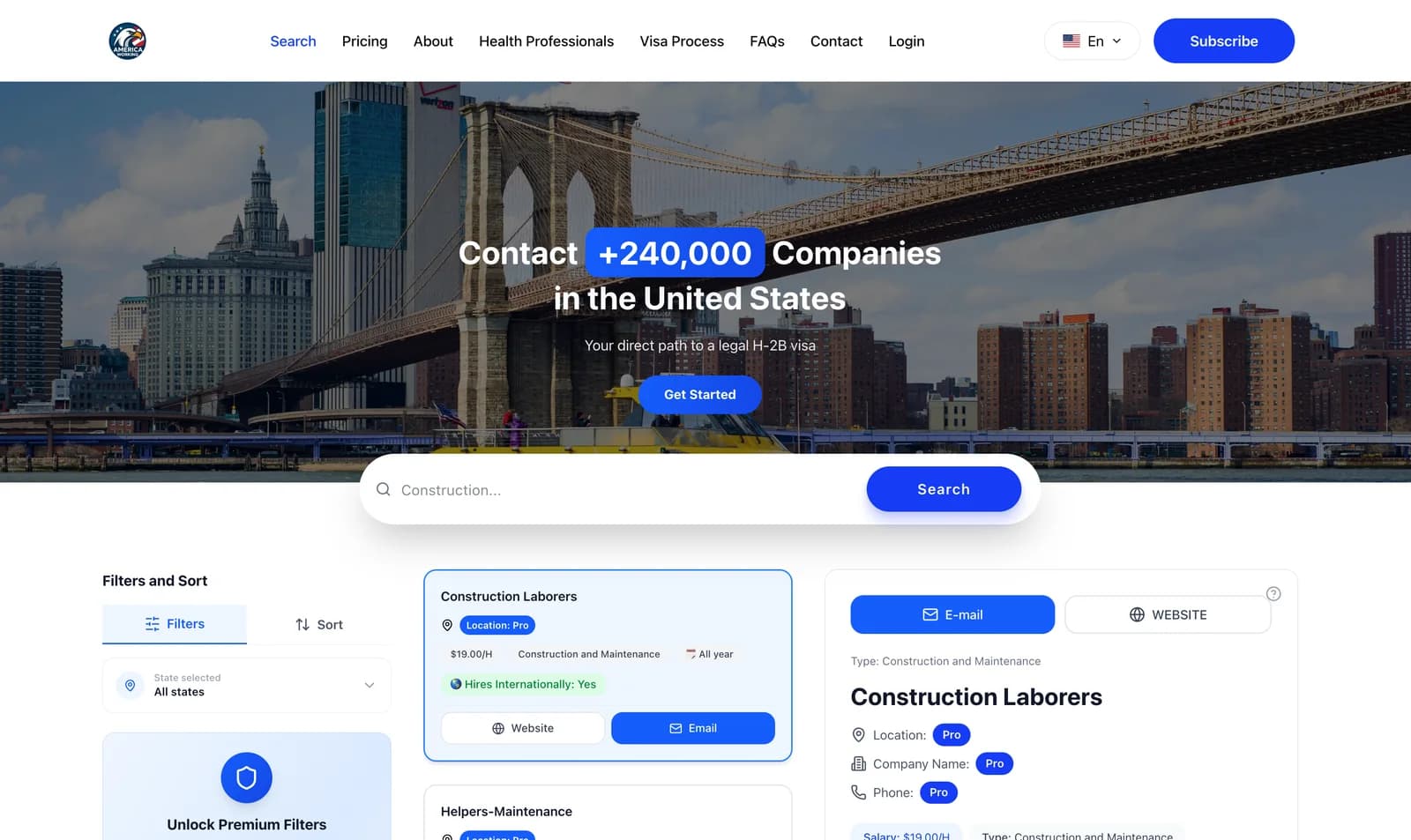
The takeaway for a version upgrade is the same: never let the first run be the production run. Rehearse, make every step repeatable, and know your rollback before you start. If your app also keeps billing data in Postgres, our guide to syncing Stripe data to Postgres covers how to make sure webhooks keep flowing during a cutover.
Database upgrades are part of the ongoing maintenance we handle in our SaaS development service, alongside the cloud infrastructure work that keeps a growing product stable.
A realistic timeline for a small team
If you start now, a calm schedule looks like this:
- This week: inventory every database, note versions and extensions, and look up your provider's end-of-life policy.
- Next week: rehearse the upgrade on a production snapshot, run tests, and fix anything that breaks.
- The week after: upgrade staging, let it run for a few days, then upgrade production in a planned window.
That puts you on a supported version close to the November 12 date, and well before RDS Extended Support charges begin on March 1, 2027.
Conclusion
PostgreSQL 14 end of life does not break your app on November 12, but it does start a clock: no more patches, rising compliance friction, and on RDS a per-vCPU bill from March 2027. Upgrading to 17 or 18 buys you three to four more years, and with a rehearsal on a copy of production, the work is predictable. Start with the inventory query above today.
If you would rather hand the upgrade to a team that has done production migrations before, tell us about your setup and we will scope it with you.
Frequently asked questions
- When is PostgreSQL 14 end of life?
- The PostgreSQL project publishes the final PostgreSQL 14 minor release on November 12, 2026. After that date version 14 receives no further bug fixes or security patches from the community.
- Will my PostgreSQL 14 database stop working after end of life?
- No. A self-hosted database keeps running exactly as before. The risk is that new security vulnerabilities and bugs will not be fixed, and managed providers start charging extra or schedule forced upgrades on their own timeline.
- What happens to PostgreSQL 14 on Amazon RDS?
- RDS keeps version 14 under standard support until February 28, 2027. From March 1, 2027 it runs under paid RDS Extended Support, billed per vCPU-hour on top of the instance price, with a higher rate from March 1, 2029.
- Should I upgrade from PostgreSQL 14 to 17 or 18?
- Both are good targets. PostgreSQL 18 is supported until November 2030 and 17 until November 2029. Pick 18 unless an extension or tool you depend on does not support it yet, in which case 17 is the safe choice.
- Can I skip versions when upgrading PostgreSQL?
- Yes. pg_upgrade and logical replication both go straight from 14 to 17 or 18. You do not need to step through 15 and 16, but you should read the release notes for every version you skip.
Written by
Tayyeb Ferozi
Senior full stack developer at Code Nativex, delivering full-cycle products from the database and backend to the user interface.
Meet the team