How to Rotate Secrets After a Breach: A Practical Plan for SaaS Teams
When a host, CI tool, or vendor that holds your keys is breached, changing environment variables is not enough. Here is the order we rotate secrets in, and the ones teams usually miss.
If you are reading this because a host, CI tool, or vendor that holds your API keys just disclosed a breach, this guide covers how to rotate secrets after a breach in the right order, without missing the ones that quietly stay exposed. It is written for founders and CTOs of small SaaS teams who need a plan they can run today, not a compliance framework. You will get the sequence we follow, a checklist of what to rotate first, the secrets that changing an environment variable does not fix, and what to set up so the next incident is smaller.
Why this is on our minds this week
In October 2026, the hosting platform Zeabur published a preliminary report on its October security incident. An attacker used leaked internal credentials to reach its shared cluster and read the platform database on October 14 and 15. The report confirms that 3,218,965 service environment variable records and 321,810 accounts were exposed, and it notes that a cluster admin token created in January 2024 had no expiry. Zeabur has said it will shut down on December 31, 2026.
You may never have used Zeabur. The lesson still applies, because most SaaS products keep their most valuable secrets in exactly the same place: environment variables on a hosting platform, a CI system, or a deploy tool. When that third party is breached, every key you gave it is in someone else's hands, and your app keeps running as if nothing happened.
Zeabur's own guidance to customers is a good model: replace every credential in your environment variables, revoke the old ones with each provider first, then create new ones and redeploy. The rest of this post turns that into steps.
Breach rotation is not routine rotation
Most rotation advice is written for planned rotation, where you want zero downtime: create the new key, deploy it, wait until the old key has no traffic, then revoke it. Stripe's documentation describes exactly that pattern, and it lets the old and new key both work for up to 7 days when you rotate an API key in the Dashboard.
After a breach, that overlap is the problem. For as long as the old key works, the attacker can use it too. So the order flips:
- 1.Revoke or expire the old secret at the provider.
- 2.Issue the replacement.
- 3.Update your app and redeploy.
You will have a few minutes of errors between step 1 and step 3. Plan for it, tell your team, and do it anyway. In Stripe's case, that means choosing "Now" as the expiration when rotating, rather than a future date.
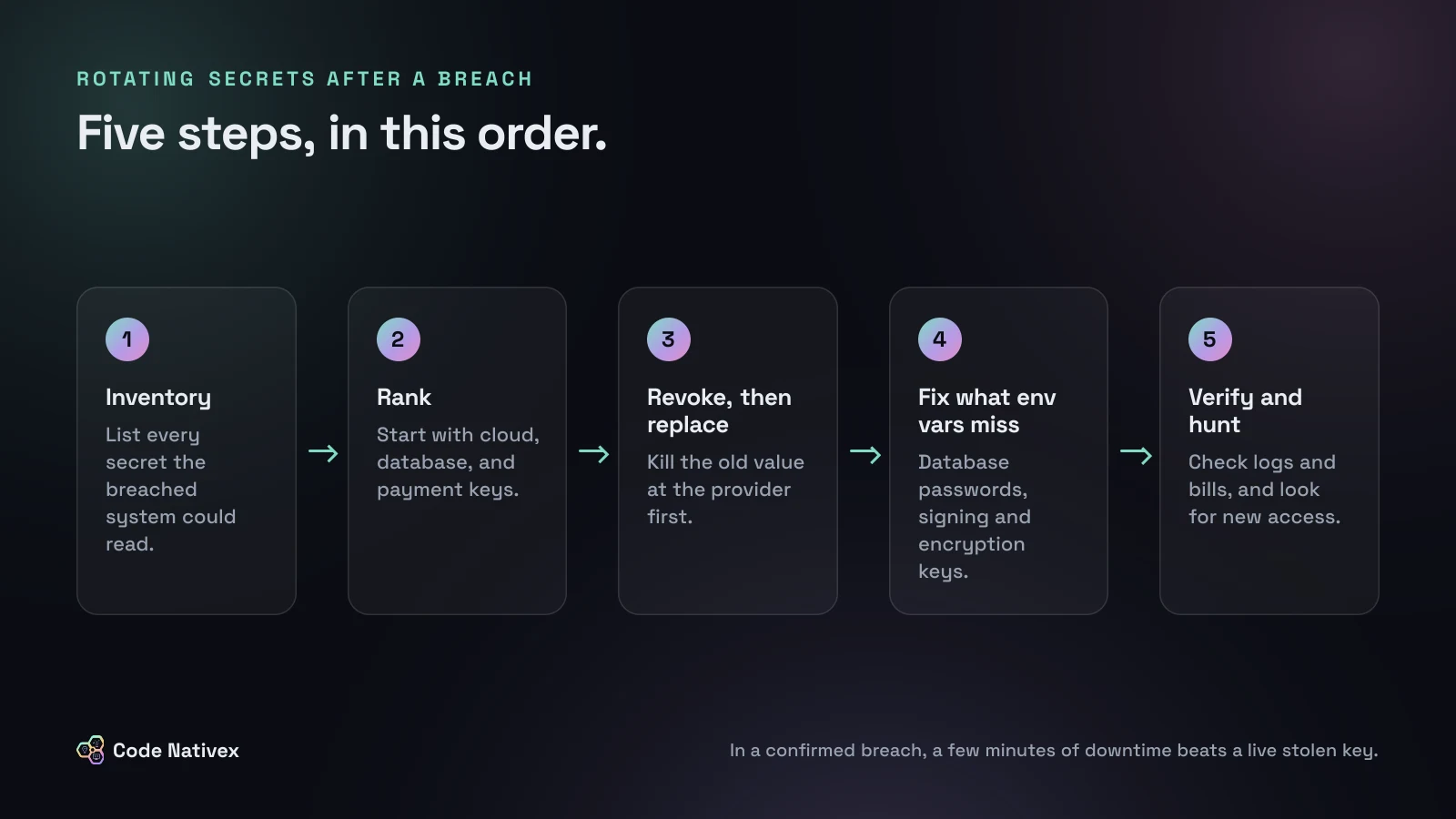
Step 1: Write down every secret the breached system could read
Do not start rotating from memory. Open the environment settings for every project on the affected platform and copy the variable names (not values) into one shared document. For a typical SaaS app built on Next.js, Postgres, and Stripe, the list usually looks like this:
- Cloud credentials: AWS access keys, GCP service account keys, storage bucket keys
- Database: connection strings, which contain a username and password
- Payments: Stripe secret or restricted keys and webhook signing secrets
- Auth: session or JWT signing secrets, OAuth client secrets for Google or GitHub sign-in
- Encryption keys used to encrypt fields or files at rest
- AI providers: OpenAI, Anthropic, or other model API keys
- Email, SMS, analytics, error tracking, and search service keys
- Deploy and source control tokens: GitHub tokens, deploy keys, registry credentials
Also check for copies. The same key often lives in a CI system, a staging environment, a teammate's local .env file, and an automation tool. Each copy of a leaked value has to go, or the next leak starts from there.
Step 2: Rotate in order of damage
You cannot rotate thirty secrets at once, so rank them by what an attacker could do with each one in the next hour:
- 1.Cloud keys with broad access. These can read backups, spin up expensive compute, or delete infrastructure. Rotate first, and check for root or admin keys that should not exist at all.
- 2.Database credentials. Direct access to customer data.
- 3.Payment keys. A secret key can issue refunds or read customer records.
- 4.Signing and encryption keys. These let an attacker forge sessions or read encrypted data.
- 5.Source control and deploy tokens. These let someone ship code to production.
- 6.Everything else, starting with keys that cost money per call, such as AI model APIs.
Step 3: Fix the secrets that environment variables do not cover
This is where most teams stop too early. Updating a value in your hosting dashboard only changes what your app sends. It does not change anything on the other side. Zeabur's report makes this point directly: changing environment variables does not change database passwords.
- Database passwords must be changed inside the database itself, then updated in your app.
- Session and JWT signing keys must be rotated, which signs every user out. Without it, anyone holding the old key can create a valid session for any account.
- Encryption keys need the data re-encrypted with a new key. The Zeabur report found that 602 of 607 n8n instances it checked kept their encryption key in an environment variable, which meant the third-party credentials stored inside were exposed too.
- Webhook signing secrets need to be regenerated at the provider, such as each Stripe webhook endpoint.
For an AWS access key and a Postgres app user, the breach order looks like this. Note that the old key is deactivated before anything else:
# 1. Disable the leaked AWS key immediately
aws iam update-access-key --user-name app-deploy \
  --access-key-id "$OLD_KEY_ID" --status Inactive

# 2. Issue a replacement and store it in your secrets manager
aws iam create-access-key --user-name app-deploy

# 3. Change the database password inside Postgres
psql "$ADMIN_DATABASE_URL" -c "ALTER ROLE app_user WITH PASSWORD '$NEW_DB_PASSWORD';"

# 4. Update env vars, redeploy, then delete the old key
aws iam delete-access-key --user-name app-deploy --access-key-id "$OLD_KEY_ID"
Step 4: Verify, then look for what the attacker left behind
Rotation removes the attacker's keys. It does not remove anything they created while they had access. Before you close the incident:
- Check usage and bills for every rotated provider from the start of the breach window. Unexpected AI usage, new cloud instances, or refunds are the usual signs.
- Read audit logs. Stripe lets you view request logs per key. AWS CloudTrail and GitHub audit logs show new users, keys, and deploy keys.
- Inspect your database for unfamiliar roles, functions, triggers, or scheduled jobs. Zeabur recommends exactly this for its Postgres users, and suggests creating a fresh database and importing only the data if you are unsure.
- Rebuild servers that were directly accessed rather than trying to clean them.
- Confirm the old values fail. Make one test call with each revoked key and expect an authentication error.
The OWASP Secrets Management Cheat Sheet describes the same remediation order: revoke, rotate, then remove exposed secrets from code, logs, and other systems.
Make the next rotation smaller
The Zeabur report describes a familiar pattern: long-lived credentials with broad access, stored in plain text, that had not been rotated. Most of that is fixable in a week:
- Use scoped keys. Stripe recommends restricted keys over secret keys, and lets you attach access policies so a key only works from your servers' IP ranges or cloud provider. A leaked restricted key with a policy is close to useless.
- Prefer short-lived credentials. Use cloud roles and OIDC for CI instead of static access keys where your platform supports it.
- Keep secrets in one manager, not in repos, chat, or config files, and separate staging from production so one leak does not expose both.
- Keep the inventory from Step 1 up to date and write a one-page rotation runbook. The worst time to learn how to change your database password is during an incident.
This is part of how we set up products from day one. On Capitalista, a fundraising platform with multi-currency Stripe payments, payments run through a checkout and a separate webhook handler, and the build included a staging environment that mirrors production. Knowing exactly which services hold which keys, and keeping test and live environments apart, is what turns rotation into a checklist instead of a scramble. If you are building or hardening a product, our SaaS development service includes this kind of setup, and our guides on the October 2026 Next.js security patch and syncing Stripe data to Postgres cover related ground.
Conclusion
Knowing how to rotate secrets after a breach comes down to a few rules: assume everything the breached system held is leaked, revoke before you replace, handle database passwords, signing keys, and encryption keys separately, and check for anything the attacker added. Then shrink the next incident with scoped, short-lived keys and a written inventory.
If you want a second pair of eyes on your secrets setup or help running a rotation, get in touch with our team or request a quote.
Frequently asked questions
- Should I rotate secrets even if I am not sure they were exposed?
- Yes. If a system that stored the secret was breached, treat the secret as leaked. Rotating a key that turned out to be safe costs an hour. Leaving a stolen key live can cost your cloud bill, your payment account, or your customers' data.
- What is the difference between rotating and revoking a secret?
- Revoking makes the old value stop working. Rotating means issuing a new value and moving your app onto it. After a breach you need both, and the old value must be revoked, not just replaced in your environment variables.
- Do I need to log out all my users after a breach?
- If your session or JWT signing key was in the leaked environment, yes. Anyone holding that key can mint valid sessions for any user. Rotating it signs everyone out, which is a small price compared with forged admin sessions.
- How often should a startup rotate secrets when there is no breach?
- There is no single number. Rotate when someone with access leaves, when a vendor holding the secret has an incident, and on a schedule your compliance needs set. The bigger win is using short-lived or tightly scoped credentials so rotation matters less.
- Is a secrets manager enough to prevent this?
- No. A secrets manager keeps keys out of code and repos and gives you an audit trail, but it can still hand secrets to a compromised host. Pair it with least-privilege keys, access policies, and a tested rotation runbook.