LLM Model Deprecation: How to Migrate Before Your Model Shuts Down
OpenAI just set a January 2027 shutdown for GPT-4o and GPT-4.1, and Anthropic retires Claude Sonnet 4.5 in November. Here is how to find what you depend on, test the replacement, and switch without users noticing.
 Code Nativex TeamEngineering
LLM model deprecation is now a routine part of running an AI feature. On October 14, 2026, OpenAI announced that GPT-4o, GPT-4o mini, GPT-4.1, and GPT-4.1 mini will be removed from its API on January 14, 2027. Two weeks earlier, Anthropic set a November 30, 2026 retirement for Claude Sonnet 4.5. If your product calls any of these, it will stop working on that date unless you move. This guide explains what deprecation actually means, how much time you really have, and a step-by-step migration plan that keeps your users from noticing.
What the latest announcements mean
According to OpenAI's deprecations page, the dated GPT-4o and GPT-4.1 snapshots, including their mini versions, shut down on January 14, 2027, with gpt-6-luna as the recommended replacement. Fine-tuned models follow the schedule of their base model, so a custom model built on GPT-4o mini goes away on the same day. The same page lists an earlier batch of legacy snapshots, such as gpt-4-turbo, o1, and o3-mini, scheduled to shut down on October 23, 2026, which is days away.
On the Anthropic side, the Claude model deprecations page lists claude-sonnet-4-5-20250929 as deprecated on September 30, 2026, with retirement on November 30, 2026 and claude-sonnet-5-5 as the replacement.
None of this is unusual. Both providers retire older models regularly to make room for new ones. What matters is that your product treats the model as a dependency with an end-of-life date, the same way you would treat a framework version or a database engine.
Deprecated, legacy, retired: the terms that matter
The vocabulary is similar across providers, and knowing it tells you how urgent a notice is:
- Legacy: the model no longer gets updates. It still works, but it is on the path out.
- Deprecated: a retirement or shutdown date has been announced, and a replacement is recommended. The model still works today.
- Retired or shut down: the model is gone. Anthropic's documentation is blunt about it: requests to retired models will fail.
That last point is the one teams underestimate. A deprecated model does not degrade gracefully. On the shutdown date, your chatbot, summarizer, or classification step starts returning errors, and whatever depends on it stops with it.
How much time you actually have
OpenAI commits to at least six months' notice for generally available models, at least three months for specialized variants such as chat or Codex models, and about two weeks for preview models, unless safety or compliance requires faster action. Anthropic commits to at least 60 days' notice for publicly released models. Both notify customers with active usage by email and in their documentation.
Two practical consequences follow. First, if you built on a preview model, you are on a two-week clock and should move to a generally available model as soon as one exists. Second, notice emails go to whoever owns the API account. If that is a founder's personal inbox or a developer who has left, the warning can sit unread until the feature breaks. Make sure provider emails reach someone who will act on them.
A step-by-step LLM migration plan
Here is the sequence we follow when a model our clients depend on is deprecated.
1. Find every place the model is called
Search your codebase for model IDs, but do not stop there. Model names also hide in environment variables, database settings, background jobs, admin tools, and third-party automations. Your provider can help: Anthropic's Console lets you export usage broken down by API key and model, and OpenAI's models endpoint returns a shutdown_date field for each model, which is null when no date has been set. Write down each feature, the exact model version it uses, its shutdown date, and the recommended replacement.
2. Build a small test set from real usage
Collect 30 to 100 real inputs per feature, with personal data removed, plus the outputs you consider correct. Include the awkward cases: very long inputs, other languages, requests that should be refused, and inputs that broke things before. Synthetic prompts you write in an afternoon will miss the problems your real users find in a week.
3. Run old and new side by side
Send the same test set to the current model and the replacement, then compare. Look at more than whether the answer is right:
- Format: does JSON still parse, do lists and headings come out the same way your interface expects?
- Instruction following: a newer model may read your system prompt more literally or more loosely.
- Refusals and tone: check that it does not refuse things the old one handled, or the reverse.
- Tokens, cost, and speed: tokenizers and pricing differ between models, so your cost estimates and context limits may change.
4. Check the API, not just the model
A migration can break on request parameters as well as behavior. Anthropic's deprecation page notes that on Claude 4.7 and later models, setting temperature, top_p, or top_k to a non-default value returns a 400 error. Code that worked for years can fail on its first request to the new model. Read the replacement's migration notes and run one real request through your actual code path before anything else.
5. Adjust prompts, then roll out gradually
Expect to tweak prompts. Change one thing at a time and rerun the test set after each change, so you know what fixed what. When results look good, put the model name behind a configuration flag and move a small share of production traffic first, for example 5 percent, while you watch error rates, output length, cost, and user feedback. Keep the old model available as a rollback until the new one has run cleanly for a while.
6. Finish well before the deadline
Aim to be fully switched at least two weeks before the shutdown date. That leaves room for a surprise, such as a feature nobody remembered or a background job that only runs monthly.
Do not forget embeddings and fine-tuned models
If your product uses retrieval-augmented generation (RAG), you have two kinds of model: the chat model that writes answers and the embedding model that turns your documents into vectors for search. Changing the chat model does not affect your search index. Changing the embedding model does, because vectors from different embedding models are not compatible. In that case, build a new index alongside the old one, test search quality on real queries, then switch the query path in one move.
Fine-tuned models need their own plan. Because they share their base model's shutdown date, you will need to retrain on the new base model, or test whether the replacement with a good prompt now does the job without fine-tuning at all. Often it does, which removes a maintenance burden.
How we design AI features to survive model changes
When we build AI features, we assume the model will change during the product's life, because it will. That shapes a few habits: model names live in configuration rather than scattered through the code, every AI feature has a saved test set from day one, and calls go through one internal module so a switch happens in one place.
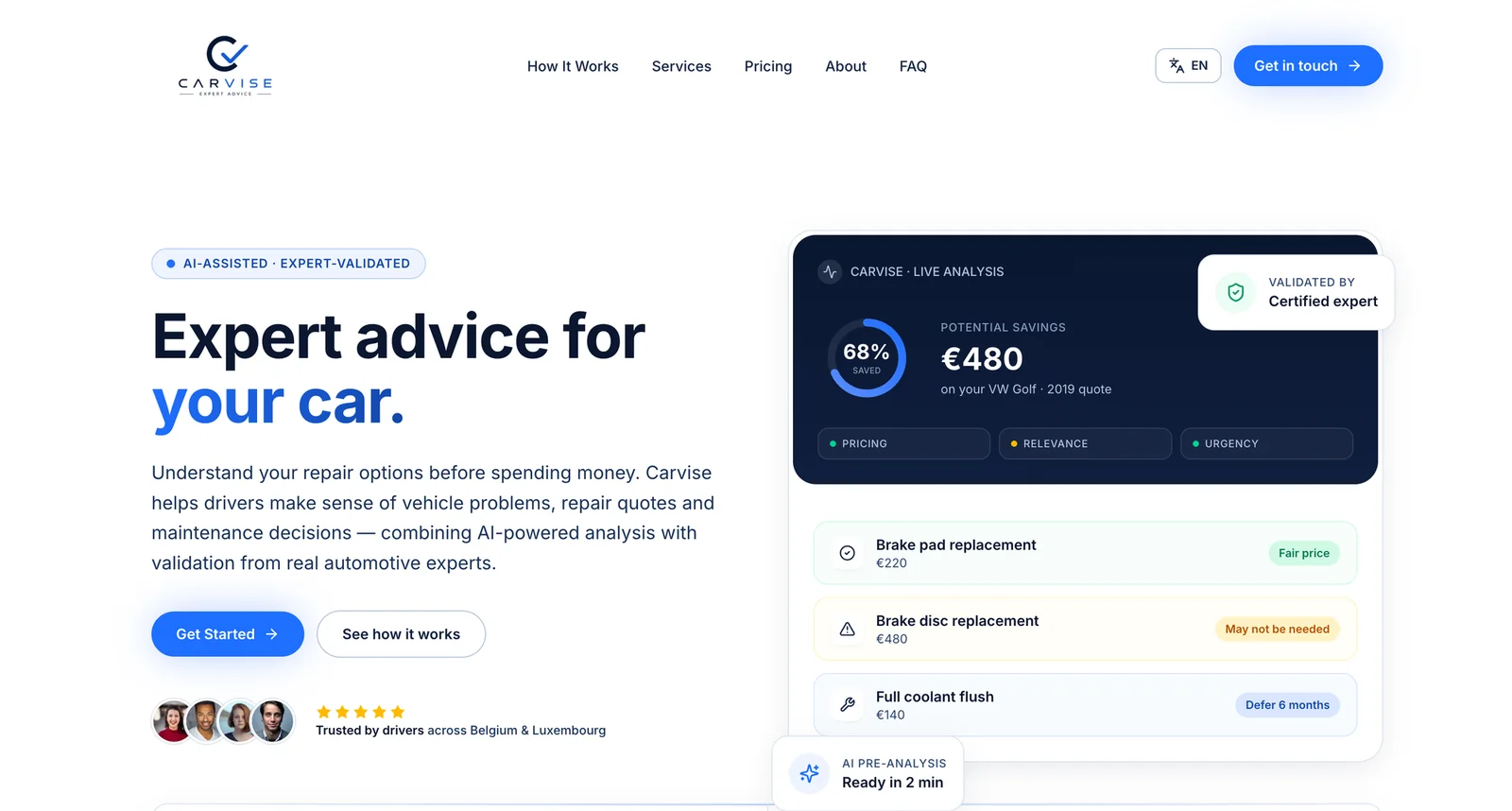
Human review also helps. On Carvise, an AI advisory platform that uses OpenAI, the AI does a first pass on a repair quote in about two minutes, and a certified expert validates or corrects every result before a driver sees it. A design like that means a change in model behavior is caught by a person before it reaches a customer.
If you are planning your first AI feature, our guide to adding AI agents to a SaaS product covers the same idea from the start. And if your team treats framework updates as a routine process, the approach in our Next.js security patch guide applies here too: small, regular, tested changes are always easier than emergencies.
Make the next deprecation a non-event
The point of handling one migration well is that the next one becomes easy. Keep a short document listing every model you use, its version, and its shutdown date. Check OpenAI's and Anthropic's deprecation pages once a month. Keep your test sets current as your features change. With that in place, a deprecation notice turns into a ticket you schedule, not a scramble.
Conclusion
LLM model deprecation is not a sign that something went wrong. It is the normal cost of building on models that keep improving. The teams that struggle are the ones who find out on shutdown day. Find every call, test the replacement against real inputs, check for API changes, roll out gradually, and finish early.
If you have an AI feature on a deprecated model and want help planning the move, or you want a new AI feature built so this stays easy, see our AI and product engineering services or get a quote and we will scope it with you.
Frequently asked questions
- What happens when an LLM model reaches its shutdown date?
- Requests to that model ID stop working. Anthropic's documentation says requests to retired models will fail, and OpenAI describes shutdown as the point where a model is no longer accessible. Your feature does not get slower or worse, it breaks, so treat the date as a hard deadline.
- How much notice do OpenAI and Anthropic give before retiring a model?
- OpenAI commits to at least six months for generally available models, at least three months for specialized variants, and about two weeks for preview models, unless safety or compliance requires faster action. Anthropic commits to at least 60 days' notice for publicly released models. Both email customers who are actively using the model.
- Can I just change the model name to the recommended replacement?
- The code change is often one line, but the behavior change is not. A new model can format answers differently, follow your system prompt differently, use a different number of tokens, or reject parameters the old model accepted. Run your real prompts against the replacement and compare results before you switch production traffic.
- Do I need to re-embed my documents if my chat model is deprecated?
- Not if only the chat model changes. Embeddings from different embedding models are not interchangeable, so you only need to rebuild your vector index when the embedding model itself is retired. In that case, build the new index alongside the old one and switch queries once it is tested.
- How do I avoid being surprised by the next deprecation?
- Keep a list of every model your product calls, pin exact model versions, check your providers' deprecation pages on a schedule, and keep a small test set of real prompts you can rerun in an afternoon. With those in place, a migration becomes a planned task instead of an emergency.