Next.js November 2026 Security Release: The Cache Leaks, Who Is Affected, and How to Upgrade
Next.js 16.4.5 and 15.5.29 fix seven advisories, most of them in the new caching features. Here is who is exposed, how to check your own app in five minutes, and how to upgrade without surprises.
 Shumail RafiqueSenior Full Stack Developer
The Next.js November 2026 security release landed on November 3 with fixes in Next.js 16.4.5 and 15.5.29. It is the second Next.js security release in three weeks, and this one is mostly about caching: the most serious bug can serve one customer's cached data to another. If you run a multi-tenant SaaS on Next.js 16, this one matters. This guide explains the seven advisories in plain terms, how to check whether your app is exposed, and the upgrade steps that make sure the fix actually takes effect.
What the November release fixes
The official Next.js security release post lists seven issues. One is rated high severity and six medium:
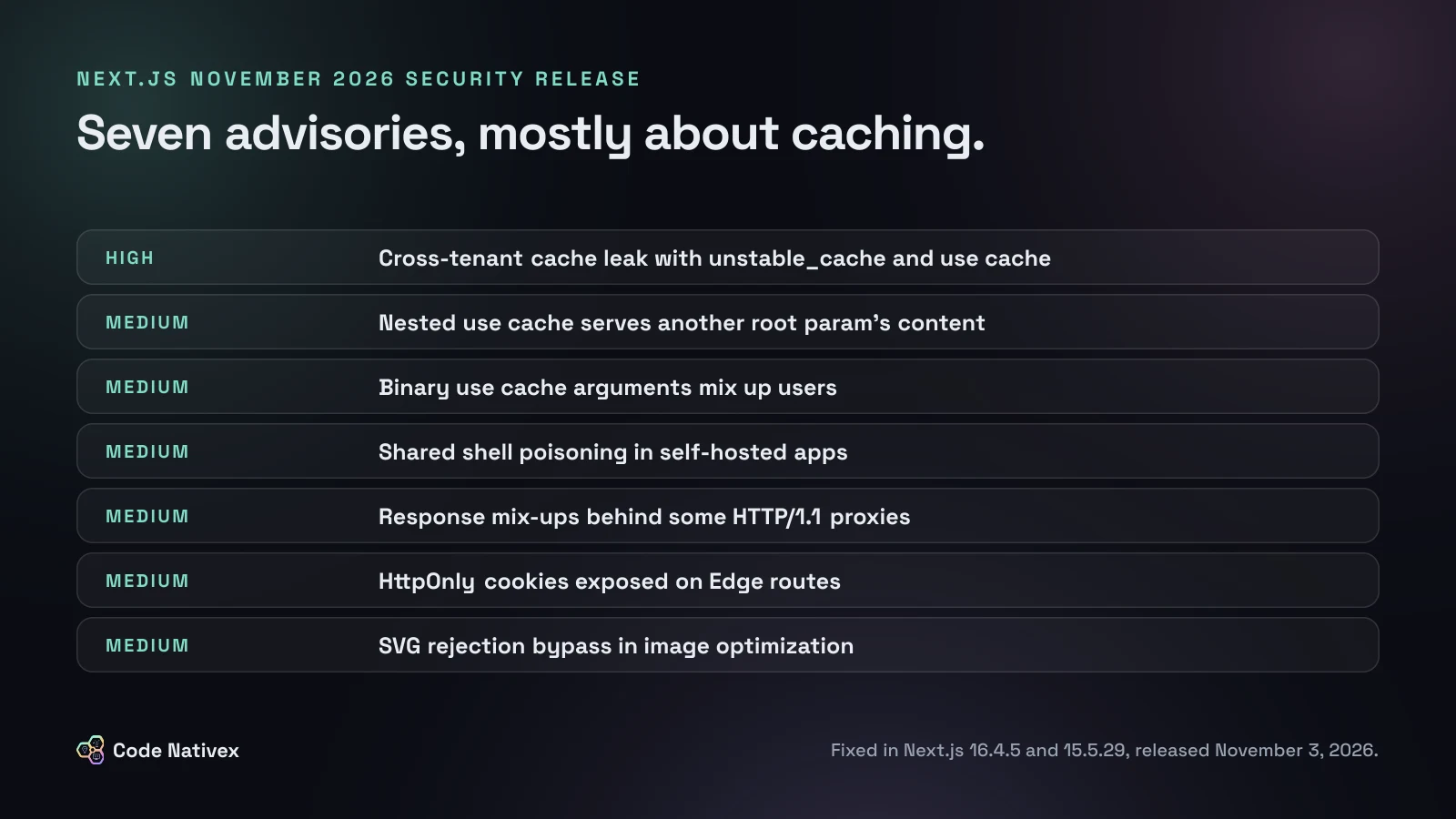
- Cross-tenant cache disclosure (high). With Cache Components enabled, if the same
use cachefunction reads a root parameter, such as a tenant ID, and is called both directly and insideunstable_cache, a concurrent call during a cold cache fill can receive another request's result. That result can then be stored and served to later callers. Where root parameters separate tenants, it can contain another tenant's data. - Nested `use cache` functions. Content generated for one root-parameter value, such as a tenant, site, or locale, can be served for another when an outer cached function finishes before an inner one records its dependencies.
- Binary cache arguments. Different binary arguments, such as a
Blob, can produce the same cache identity, so one user can receive another user's cached result. - Shared shell poisoning. In self-hosted apps running
next startwith Cache Components, a crafted URL can poison a shared page shell for other URLs on certain dynamic route shapes. - Response mix-ups behind some proxies. Self-hosted apps that return a fetched
Responseunchanged, behind an HTTP/1.1 reverse proxy that shares backend connections, can send responses to the wrong clients. - Cookie exposure on Edge routes. Edge route handlers that set cookies with
NextResponse.cookies.set()can expose the value in an internal header that same-origin JavaScript can read, even forHttpOnlycookies. - SVG bypass in image optimization. An image from an allowed source can be misread as AVIF and slip past
images.dangerouslyAllowSVG: false.
None of the advisories is described as exploited in the wild. But the high-severity one is a data leak between customers, which is the kind of incident that ends up in a breach notice.
Why this one is different from October
The October 2026 Next.js security patch was about remote code execution and denial of service, and it moved everyone to 16.4.1. This release is about data ending up in the wrong place. If you upgraded to 16.4.1 last month, you still need 16.4.5.
The cache issues also explain who should worry most. According to Netlify's summary of the release, the caching advisories affect Next.js 16.2 and later, depending on the issue, because they depend on Cache Components and use cache. The 15.5.29 release carries the fixes that apply to the 15 line. If you are still on 15, our guide to the Next.js 15 end of life explains why it is time to plan the move to 16 anyway.
Is your app affected?
Start with the features these advisories touch:
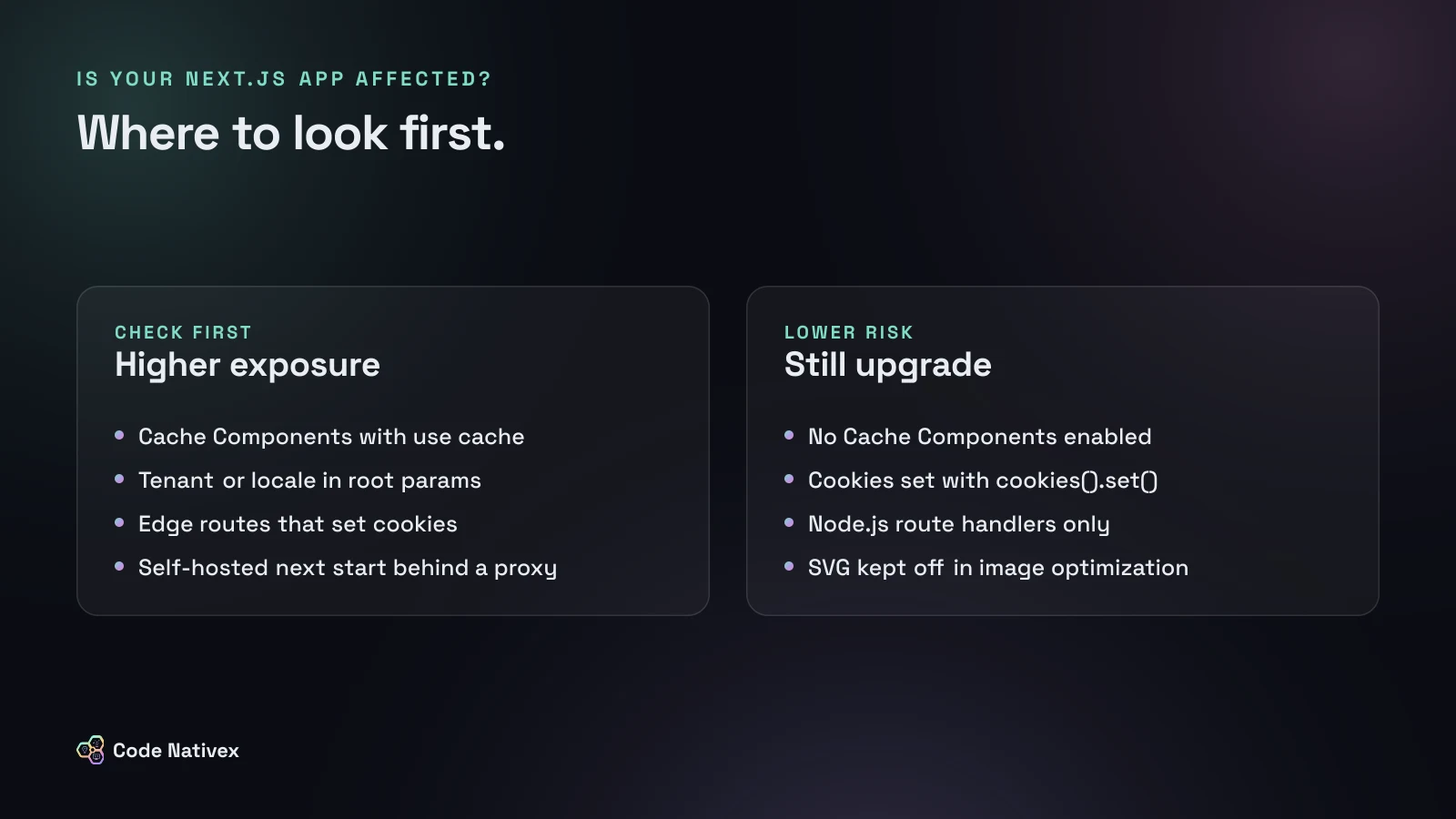
You can check in a few minutes from the root of your project:
# Which version is installed?
npm ls next

# Is Cache Components enabled?
grep -n "cacheComponents" next.config.*

# Where do you use the cache APIs?
grep -rln "use cache\|unstable_cache" app src

# Do any routes run on the Edge runtime?
grep -rln "runtime = ['\"]edge['\"]" app src pages
Pay most attention if your use cache functions read a root parameter that separates customers, such as a tenant ID or workspace slug in the route. That is the exact shape of the high-severity bug, and it is common in multi-tenant SaaS apps. If you also call those functions through unstable_cache during a migration from the old caching API, upgrade today.
Does your hosting provider change the answer?
Partly. Netlify, for example, lists which advisories affect sites on its platform. In its notice, the nested use cache, binary argument, shared shell, and Edge cookie issues do affect Netlify sites, including cookies set in Middleware, while the SVG and response-injection issues do not. Other hosts publish similar notes, so read your provider's.
Do not treat a host's notice as a reason to skip the upgrade, though. The fix lives in the framework. If you change hosts later, move to self-hosting, or add a proxy in front of your app, an unpatched version would bring the problem back with it.
How to upgrade safely
- 1.Upgrade on a branch. Run
npm install next@16.4.5, ornpm install next@15.5.29if you are on 15, and updateeslint-config-nextto match. - 2.Build and test. Run the production build and click through the pages that use cached data, signed in as two different customers.
- 3.Redeploy every environment. Production, staging, and any long-lived preview environments all need the new build.
- 4.Clear cached content. A leaked or poisoned entry can be served until it is revalidated or evicted. On most hosts a new deploy clears it, but entries that opted out of automatic invalidation, branch deploys, and previews may need a manual purge. Netlify, for example, also asks users to update its Next.js adapter and to purge or delete old previews.
- 5.Delete old previews. Preview deployments built on the old version stay vulnerable until they are removed.
Lessons for multi-tenant caching
Caching is where multi-tenant data leaks hide, whether the cache belongs to your framework or your AI provider, as the Cloudflare GLM-5.3 data leak showed earlier this month. A few habits limit the damage of the next bug:
- Put the tenant in the cache key explicitly. Pass the tenant ID as an argument to cached functions rather than relying only on values read from the route.
- Avoid mixing caching APIs. The high-severity bug needed both
use cacheandunstable_cacheon the same function. Finish migrations instead of running both. - Never cache per-user secrets. Keep tokens, billing details, and personal data out of shared caches entirely.
- Test with two tenants. Add an end-to-end test that signs in as two customers and asserts that neither ever sees the other's data.
- Keep the runtime patched too. Framework patches do not update Node.js. The Node2Shell vulnerability needed a separate runtime upgrade.
How we keep client apps patched
Every Next.js app we build and maintain pins its framework and runtime versions in one place, with a test suite that runs against the production build, so a security release is an upgrade, a test run, and a deploy rather than a scramble. Multi-tenant isolation tests are part of how our SaaS development service builds products from the first sprint.
The bottom line
The Next.js November 2026 security release is mostly about caching, and the worst case is one customer seeing another's data. Upgrade to 16.4.5 or 15.5.29, redeploy every environment, clear caches, and delete old previews. Then make the tenant part of every cache key, so the next caching bug has less to leak.
Need help upgrading or auditing a multi-tenant Next.js app? Contact us and we will take a look.
Frequently asked questions
- What does the Next.js November 2026 security release fix?
- Seven advisories. The high-severity one is a cross-tenant cache disclosure when the same use cache function is called directly and through unstable_cache. The others cover nested use cache functions, binary cache arguments, shell cache poisoning, response mix-ups behind some proxies, cookie exposure on Edge routes, and an SVG bypass in image optimization.
- Which Next.js version should I upgrade to?
- Next.js 16.4.5 on the 16 line, or 15.5.29 on the 15 line. Install it with npm install next@16.4.5 or npm install next@15.5.29, then rebuild and redeploy.
- I upgraded to 16.4.1 in October. Am I safe?
- No. 16.4.1 fixed the October advisories. The November issues are fixed in 16.4.5, so you need to upgrade again.
- Is my app affected if I do not use Cache Components?
- Most of the cache issues need Cache Components and use cache, so your risk is lower. The cookie, SVG, and proxy issues do not depend on caching, so upgrade anyway.
- Do I need to clear my cache after upgrading?
- Yes, if you use Cache Components. A poisoned or leaked entry can stay cached until it is revalidated or evicted. Redeploying usually clears it, but purge caches and delete old preview deployments to be sure.
Written by
Shumail Rafique
Senior full stack developer at Code Nativex, building scalable web applications with modern technologies.
Meet the team