How to Reduce LLM API Costs in a SaaS Product Without Hurting Quality
AI features have a running cost on every request. Here is how to measure it, cut it with prompt caching and better model choices, and keep it predictable as usage grows.
 Raja ZiafatCEO & Founder
If you run AI features in production, you have probably asked how to reduce LLM API costs without making the product worse. Unlike most web features, every AI request has a price, and the bill grows with usage in ways that are easy to underestimate. The good news is that most savings come from ordinary engineering, not clever tricks. This guide covers how to measure where the money goes, how to get prompt caching right (OpenAI added a 12-hour cache on October 20), and the other changes we make on client products, with worked numbers.
Where LLM API costs actually come from
Providers bill by tokens, and they charge separately for input and output. Output is the expensive side: on OpenAI's GPT-6.1 Sol, an output token costs five times as much as an input token.
What surprises most teams is how large the input is. A user types one short question, but the request your app sends also carries:
- System instructions: tone, rules, formatting, and examples.
- Tool definitions: every function the model is allowed to call.
- Retrieved context: documents or records your app looks up for the answer.
- Conversation history: every earlier turn in a chat.
All of that is billed on every call. Add retries after timeouts, and a feature that looked cheap in a demo can cost far more per request in production.
Step 1: measure cost per feature and per customer
You cannot fix what you cannot see, and a single monthly total tells you very little. Every response from the API includes usage data: input tokens, output tokens, and how many input tokens were served from the cache. Store those numbers for every request, tagged with:
- the feature that made the call, such as "support reply" or "report summary"
- the customer account and plan
- the model used
With that in place you can answer the questions that matter: which feature costs the most, what an active user costs per month, and whether a handful of heavy accounts are driving the bill. Look at the distribution, not only the average. A few customers who use a feature all day can cost more than their subscription brings in.
Step 2: get prompt caching right
Prompt caching is usually the biggest and fastest win. When many requests start with the same text, the provider can reuse the work it already did on that prefix and bill it at a much lower rate.
On OpenAI, caching is on by default for supported models. According to the prompt caching guide, cached input on GPT-5.6 and later costs 0.1 times the normal input price, or 0.05 times on GPT-6.1 Sol. Writing to the cache costs 1.25 times the input price for the default 30-minute cache. The OpenAI API changelog added a 12-hour option on October 20, with writes at 2.5 times the input price. One 12-hour write costs the same as two 30-minute writes, so it pays off when quiet periods would otherwise make the short cache expire and be rewritten several times a day.
On Anthropic, you turn caching on with a cache_control setting. The Claude prompt caching docs list a 5-minute default cache that refreshes for free each time it is used, an optional 1-hour cache, writes at 1.25 or 2 times the input price, and reads at 0.1 times on most models.
Caching only works on an exact match of the beginning of the prompt, so order matters. Put everything stable first and everything that changes last:
// lib/ai/draft-reply.ts
import OpenAI from "openai";

const openai = new OpenAI();

export async function draftReply(ticket: Ticket, account: Account) {
  const res = await openai.responses.create({
    model: process.env.AI_REPLY_MODEL!,
    // Stable prefix: the same rules and help docs on every request.
    instructions: SUPPORT_INSTRUCTIONS,
    // Per-request content goes last. No timestamps or names above it.
    input: `Plan: ${account.plan}\n\nTicket:\n${ticket.body}`,
    max_output_tokens: 300,
  });

  await recordAiUsage({
    feature: "support_reply",
    accountId: account.id,
    model: res.model,
    inputTokens: res.usage?.input_tokens ?? 0,
    cachedTokens: res.usage?.input_tokens_details?.cached_tokens ?? 0,
    outputTokens: res.usage?.output_tokens ?? 0,
  });
  return res.output_text;
}
The most common mistake we see is a line like "Today is October 23" or the user's name at the top of the system prompt. It changes on every request, so nothing after it can ever be cached. On Anthropic, editing the tool list has the same effect, because tools sit at the very start of the cached prefix.
Also check the minimum length. OpenAI needs at least 1,024 input tokens on recent models, and Anthropic needs between 512 and 4,096 depending on the model. Shorter prompts are simply not cached and no error is returned, so confirm with the usage fields that caching is actually happening.
A worked example
Here is a support-reply feature priced with the GPT-6.1 Sol rates in the changelog for prompts up to 272K tokens: $2 per million input tokens, $0.10 per million cached input tokens, $2.50 per million for 30-minute cache writes, and $10 per million output tokens. Each request has a 6,000-token stable prefix, 1,000 tokens about the ticket, and a 500-token reply.
- Without caching: 7,000 input tokens cost $0.014 and the reply costs $0.005, so $0.019 per reply, or $190 for 10,000 replies a month.
- With the prefix cached: the prefix costs $0.0006, the ticket $0.002, and the reply $0.005, so about $0.0076 per reply, or $76 for 10,000. Each cache write costs $0.015 for this prefix, so even a few hundred writes a month add only a few dollars.
Notice what happened: the reply is now about two-thirds of the cost. That leads to the next step. Prices change, so check the current pricing page before you budget.
Step 3: send fewer tokens in and out
Cap the output. Set a maximum output length for every feature and ask only for what the interface shows. In the example above, trimming the reply from 500 to 300 tokens takes the monthly cost from $76 to about $56. Structured output, such as a short JSON object instead of a paragraph, is often both shorter and easier to use.
Retrieve less, but better. If you use retrieval, send the few most relevant passages, not every match. Better search and ranking usually improve answers and cut tokens at the same time.
Shorten long conversations. Instead of resending an entire chat history, summarize older turns and keep the recent ones in full.
Keep instructions tight. Long lists of rules and examples grow over time. Review them every few months and remove what no longer changes the result.
Step 4: match the model to the task
Not every step needs the most capable model. Classifying a ticket, extracting fields from a form, or writing a one-line summary are jobs a smaller, cheaper model often handles well. Keep the largest model for the steps that need real reasoning.
Do not guess which steps qualify. Build a test set of 30 to 100 real examples, run the cheaper model against it, and switch only where the results hold up. The same test set protects you when a provider retires a model, which we cover in our guide to handling LLM model deprecation.
Step 5: cache results, batch slow work, and set limits
Cache whole results in your app. If the same record is summarized again and nothing has changed, return the saved summary instead of calling the model. This is the cheapest request of all.
Batch work that can wait. Nightly reports, bulk imports, and backfills do not need an answer in seconds. Both OpenAI and Anthropic offer batch processing at a discount in exchange for results that arrive later.
Control expensive tiers. Since October 21, OpenAI lets you restrict which service tiers each project can use, so a faster, pricier tier is not switched on by accident.
Put limits in the product. Give each plan a clear usage allowance, add rate limits per user, and alert on unusual spikes. Limits turn an open-ended cost into one you can price.
How we handle AI costs on client builds
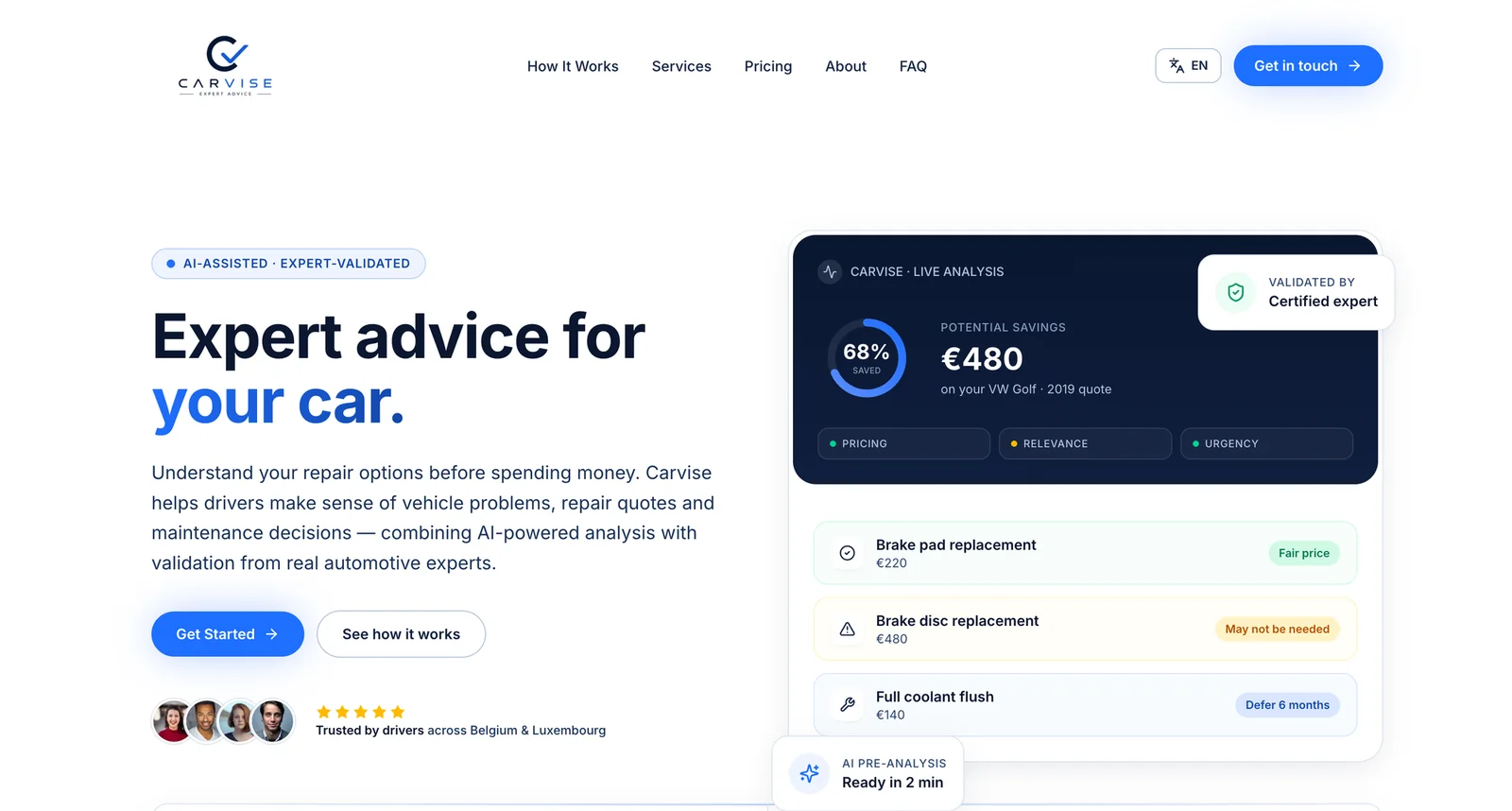
We plan cost from the first design session, alongside the features themselves. On Carvise, an AI advisory platform built on OpenAI, the AI reads a repair quote and returns structured findings in about two minutes, and a certified expert signs off on every result within 24 hours. A workflow with a human review step like that does not need the fastest, most expensive response, which widens the range of cost options from the start.
If you are adding AI to a product that already has users, our guide to adding AI features to an existing web app covers the architecture that makes these optimizations easy. Our AI agent development service covers how we scope, build, and run AI features with cost tracking built in.
The bottom line
To reduce LLM API costs, measure first, then work through the changes in order: cache the stable part of every prompt, send fewer tokens in and out, use the smallest model that passes your tests, and put limits in the product. Most teams find that the biggest savings come from the first two steps, with no change in quality.
Want a second opinion on your AI costs? Tell us about your product and we will send a fixed-scope proposal.
Frequently asked questions
- How much does prompt caching save?
- It depends on how much of each request is identical. On current OpenAI models, cached input is billed at 10% of the normal input price, or 5% on GPT-6.1 Sol, and Anthropic bills most cache reads at 10%. Writing to the cache costs extra, so the savings come from reusing the same prefix many times.
- Why is our AI bill higher than our token estimates?
- Because the real request is much bigger than the user's message. System instructions, tool definitions, retrieved documents, and conversation history are sent on every call, and retries are billed too. Log the usage the API returns for each request instead of estimating.
- Should we self-host an open model to save money?
- Usually not at first. Self-hosting adds GPU, scaling, and maintenance costs, and it tends to pay off only at steady, high volume. Start with caching, model choice, and limits on a hosted API, then compare against your real usage numbers.
- How should we price AI features in a SaaS plan?
- Base it on measured cost per active user, including your heaviest users. Include a usage allowance in each plan with clear limits or paid top-ups, and avoid unlimited AI use on low-priced plans until you know the real distribution.
- What is the first step to cut AI costs?
- Record tokens, cached tokens, model, and feature for every request. Within a week you will know which feature and which prompt cost the most, and that is where to start.
Written by
Raja Ziafat
Founder and CEO of Code Nativex. Raja scopes every project with clients directly and leads the engineering behind the web, SaaS, and AI products the team ships.
Connect on LinkedIn