AI Agent Kill Switch: How to Build One Into Your SaaS Product
CrowdStrike just launched a kill switch for rogue AI agents. If your product runs agents for customers, you need your own. Here is how to design one that actually stops them.
 Shumail RafiqueSenior Full Stack Developer
On November 3, CrowdStrike launched what it calls an AI Kill Switch, a way for security teams to stop misbehaving AI agents. Its CEO, George Kurtz, put the problem bluntly: everyone is building agents, but they never had an off button. If your product runs agents on behalf of customers, an AI agent kill switch is not something to buy later from a security vendor. It is a control you build into the product, so your team can stop any agent, for any customer, in seconds. This guide covers what a good one does, how to design it, the code that makes it work, and what has to be in place before you ever need it.
What CrowdStrike announced
CrowdStrike introduced the feature at its Fal.Con Europe 2026 conference in Barcelona, as part of its Falcon Guardian platform. Its announcement says the kill switch lets organizations rapidly cut off AI model access through centralized gateway enforcement, and that it is available now to Falcon Guardian customers. Coverage of the launch, such as this report from Tech Startups, describes the goal as terminating a misbehaving agent, preventing it from restarting, and blocking its network access.
That is a tool for companies whose employees use agents. It does not help the customers of a SaaS product whose agents run inside your infrastructure, with your credentials and your customers' data. That part is yours to build.
Why agents need an off switch
A normal feature does what a user asks, once. An agent decides its own next step, again and again, until it thinks the job is done. That is what makes agents useful, and it is also why they fail in ways normal features do not:
- Loops. An agent retries a failing action hundreds of times, sending emails or burning through your model budget.
- Bad updates. A new model version or prompt change makes an agent misread instructions across every customer at once.
- Poisoned input. A document or email the agent reads contains instructions that steer it somewhere it should not go.
- Leaked credentials. An agent's token ends up somewhere it should not be.
The OWASP project lists this class of problem as Excessive Agency in its Top 10 for LLM applications, tracing it to excessive functionality, excessive permissions, and excessive autonomy. A kill switch does not fix those causes, but it limits how long any of them can do damage.
Design it at five levels
One big red button is better than nothing, but it forces a bad choice: stop every customer's agents, or stop none. Build the switch at several levels so you can stop exactly what is misbehaving:
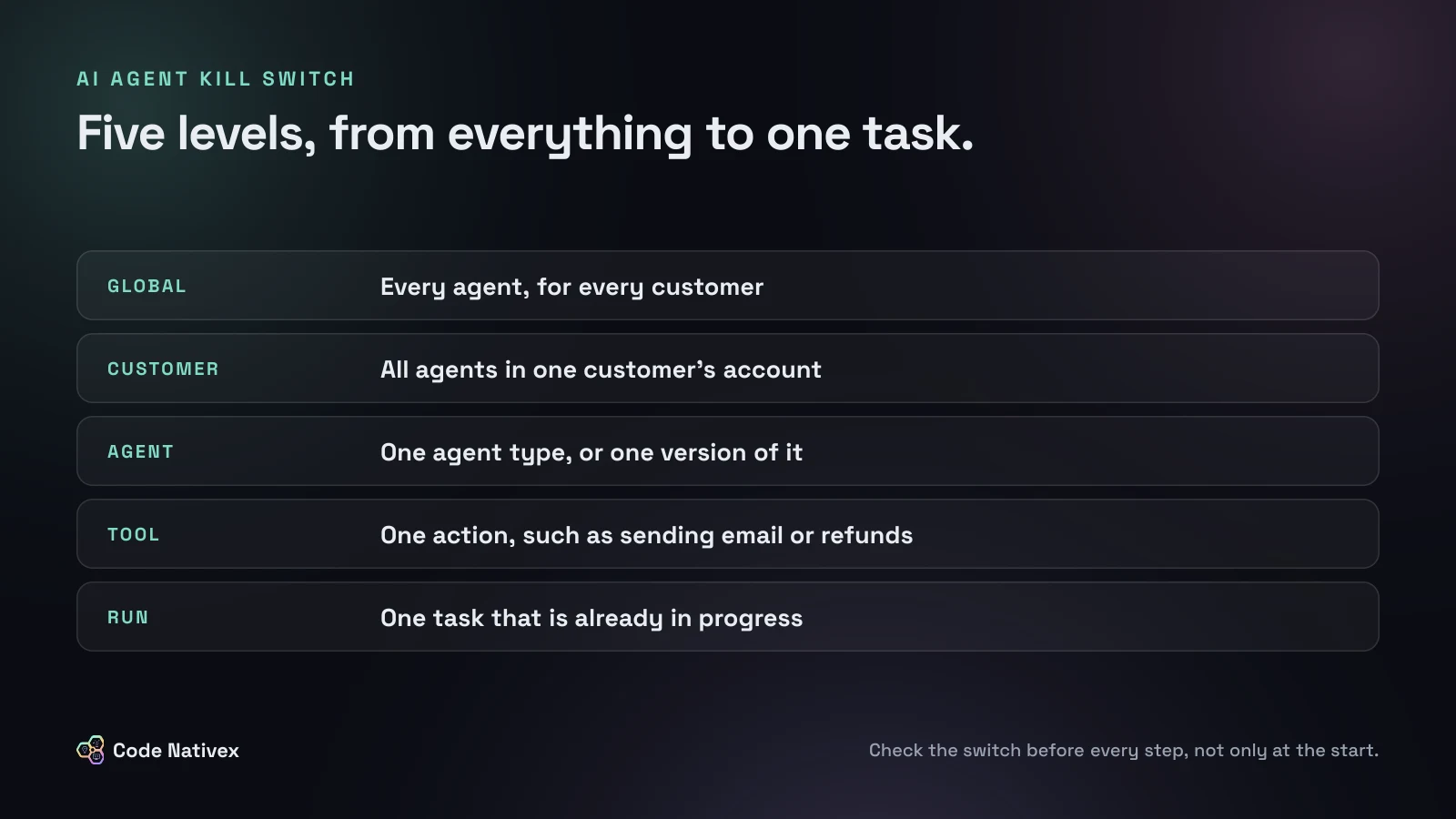
- Global: every agent for every customer, for a bad model or provider issue.
- Customer: one account, when a single tenant's data or usage looks wrong.
- Agent: one agent type or version, after a bad release.
- Tool: one action, such as sending email or issuing refunds, while everything else keeps working.
- Run: one task already in progress, usually triggered by a user who presses Stop.
Give support staff access to the customer and run levels, and keep global and agent levels for engineers on call.
The code: check before every step
The switch only works if the agent checks it often. A check at the start of a task cannot stop an agent that is already twenty steps in. Here is a simple pattern, with flags in Redis so a change takes effect within one step and needs no deploy:
import { Redis } from "@upstash/redis";

const redis = Redis.fromEnv();
type Run = { tenantId: string; agent: string; runId: string };

// Any key that is set stops the agent: global, customer, agent, or run.
export async function isHalted(run: Run): Promise<boolean> {
  const keys = [
    "halt:global",
    `halt:tenant:${run.tenantId}`,
    `halt:agent:${run.agent}`,
    `halt:run:${run.runId}`,
  ];
  const values = await redis.mget<(string | null)[]>(...keys);
  return values.some(Boolean);
}

// In the agent loop, before every step:
//   if (await isHalted(run)) return stopRun(run, "kill switch");
The tool level belongs in the function that runs tools, so a disabled tool is refused even if the model asks for it. Two more decisions matter:
- 1.Fail closed for risky agents. If Redis cannot be reached, an agent that can send messages, change records, or spend money should stop. A read-only agent can fail open, as long as you log it.
- 2.Cap steps and spend anyway. A hard limit on steps per run and cost per customer is an automatic kill switch for loops. Our guide to reducing LLM API costs covers per-customer limits.
Stopping is more than stopping the loop
When you pull the switch, the loop ending is only the first of four jobs:
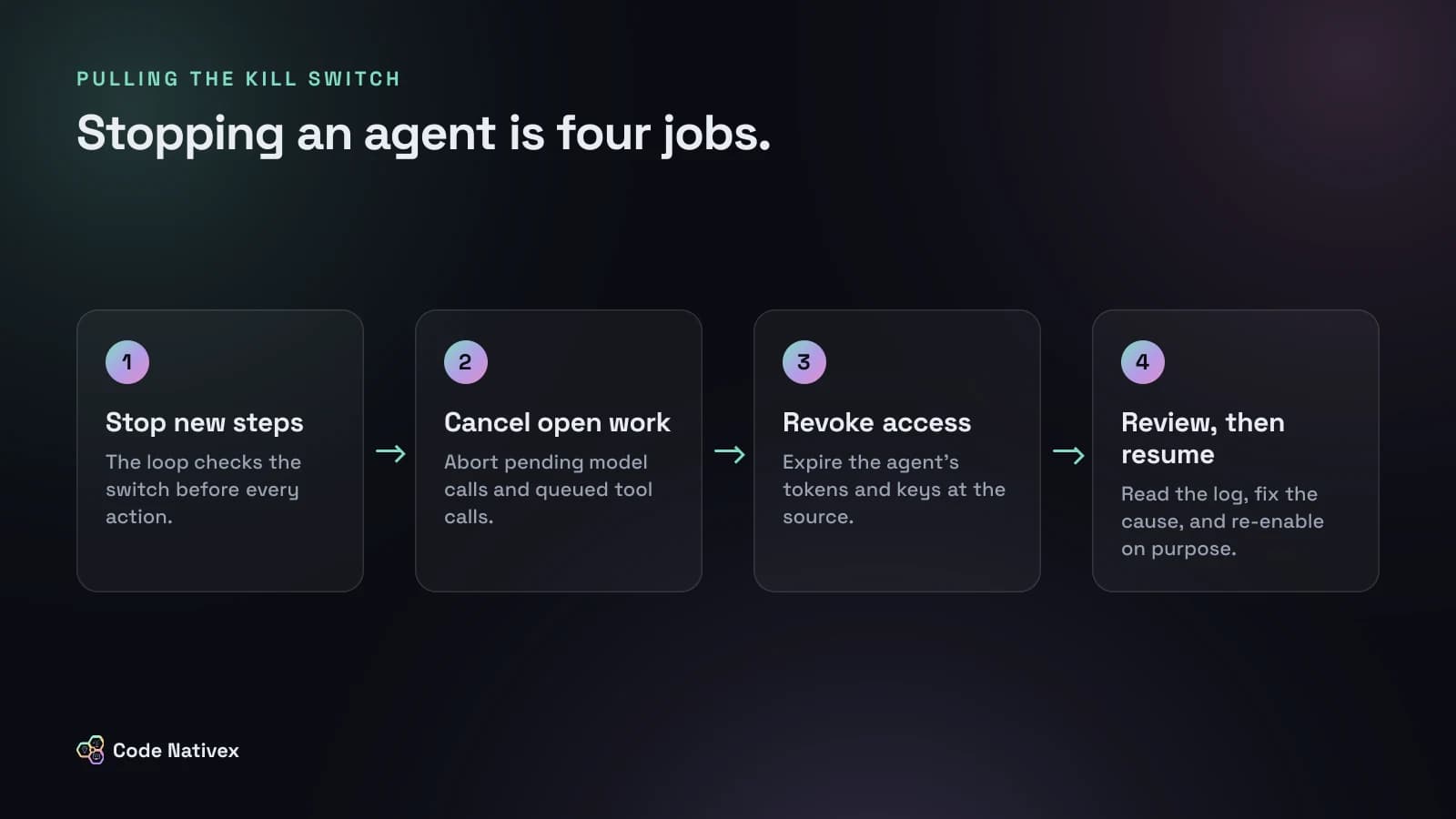
- 1.Stop new steps. The loop sees the flag and exits cleanly, recording why.
- 2.Cancel open work. Abort pending model calls and remove queued tool calls or background jobs, or they will run after the agent has stopped.
- 3.Revoke access. Expire the agent's tokens and API keys at the source, so a copy outside your loop cannot be used. Treat this like any credential incident: our guide on rotating secrets after a breach covers the order.
- 4.Review, then resume. Read the agent's log, fix the cause, and turn it back on deliberately. Never let flags expire on a timer.
That review only works if every step was logged with the customer, the tool, its inputs, and the result.
What comes before the kill switch
A kill switch is the last line of defense. Most of the work is making sure you rarely need it:
- Narrow tools. Give each agent only the actions its job needs, never a general-purpose one.
- Least privilege. Let the agent act with the user's own permissions, and enforce them in your API, not in the prompt.
- Human approval for risky actions. Anything that sends, deletes, pays, or publishes should wait for a person to confirm.
- Rate limits and budgets per customer and per run.
Our guide to AI agents for SaaS covers how to choose an agent's first job and design its tools. If outside assistants reach your product through an MCP server, apply the same switch to those requests too.
How we build agents with a human in control
On Carvise, the AI does a fast first pass on a repair quote and a certified expert validates every result before a driver sees it. Nothing is published automatically. We design agents the same way: the agent proposes, permissions are enforced in code, and people can stop it at any level.
Our AI agent development service builds the agent and the controls around it together: scoped tools, approval queues, logging, budgets, and the kill switch.
The bottom line
CrowdStrike's launch is a sign that stopping AI agents is now a mainstream security concern. For a SaaS product, the switch has to live in your own code. Build it at the global, customer, agent, tool, and run levels. Check it before every step, cancel queued work, revoke access, and review before you resume. Then put narrow tools and human approval in front of it, so pulling it stays rare.
Planning an AI agent for your product? Tell us about it and we will send a fixed-scope proposal.
Frequently asked questions
- What is an AI agent kill switch?
- It is a control that stops an AI agent immediately, prevents it from starting again, and removes its access to systems and data. In a SaaS product it is usually a set of flags the agent checks before every action, plus a way to revoke its credentials.
- Did CrowdStrike launch an AI kill switch?
- Yes. On November 3, 2026, CrowdStrike announced an AI Kill Switch for its Falcon Guardian platform at Fal.Con Europe in Barcelona. Its post says it cuts off AI model access through centralized gateway enforcement.
- Where should the kill switch check happen?
- Inside your own code, before every step of the agent loop and again before each tool runs. A check only at the start of a task cannot stop an agent that is already halfway through it.
- Should a kill switch fail open or fail closed?
- For agents that can change data, send messages, or spend money, fail closed: if the switch cannot be read, the agent stops. For read-only agents, failing open can be acceptable if you log it.
- Do I still need a kill switch if a human approves actions?
- Yes. Approval covers the actions you predicted. A kill switch covers everything else, such as an agent looping on cheap actions, a bad model update, or a leaked credential.
Written by
Shumail Rafique
Senior full stack developer at Code Nativex, building scalable web applications with modern technologies.
Meet the team