Flutter 3.50 Upgrade: What Changes for Your App and What to Do First
Flutter 3.50 deprecates the built-in Material and Cupertino libraries, and the CocoaPods trunk goes read-only on December 2. Here is what actually needs doing, and in what order.
 Shumail RafiqueSenior Full Stack Developer
A Flutter 3.50 upgrade is now on the roadmap for every team with a Flutter app in production. Google released Flutter 3.50 with Dart 3.14 on November 11, 2026, and it does two things that need a decision: it deprecates the built-in Material and Cupertino libraries, and it starts winding down CocoaPods on iOS. This guide explains what changed, which parts are urgent, and the order we would do the work in.
It is written for founders, CTOs, and product leads who own a Flutter app and want straight answers: how big is this, what breaks, and when does it have to happen?
What changed in Flutter 3.50
The official What's new in Flutter 3.50 post is long. For planning, these are the changes that matter:
- Material and Cupertino are deprecated inside the framework. Flutter 3.50 formally deprecates
package:flutter/material.dartandpackage:flutter/cupertino.dart, along with theirflutter_localizationsdelegates. The replacements are the standalonematerial_uiandcupertino_uipackages, which reached 1.0 in Flutter 3.47. New projects created withflutter createnow importpackage:material_uiby default. - CocoaPods is on its way out. The release notes say Flutter's temporary CocoaPods fallback is winding down, and disabling Swift Package Manager now prints a warning on every Flutter CLI command.
- Android build changes. The Flutter Gradle Plugin moves to the Android Gradle Plugin 9 APIs. New projects default to AGP 9.3.1, Gradle 9.5.0, and Java 17, with compile and target SDK set to API 36 and a minimum of API 24.
- Stricter Android release builds. Release builds now ignore
route,dart_entrypoint, andcached_engine_idextras sent by external Intents, and reject runtime engine flags. - Native interop is stable. FFIgen for Objective-C and JNIgen for Java and Kotlin are now stable, so Dart can call native APIs without hand-written platform channels.
There is good news too. Flutter reports that iOS touch input latency drops by a full frame: 16 ms faster on 60 Hz devices and 8 ms faster on 120 Hz ProMotion displays. Flutter web can also run as WebAssembly on Safari 26.2+ and Firefox 147+, though for now you opt in.
The material_ui migration: important, not urgent
The headline change sounds scary, because almost every Flutter file starts with import 'package:flutter/material.dart';. In practice, nothing breaks today. The old libraries are deprecated, not removed, and the Flutter team has not published a removal date.
What you get instead is a wall of analyzer warnings, and a slowly growing gap. Flutter froze SDK contributions to the in-framework Material and Cupertino libraries starting in 3.44, according to the official migration guide. New components and fixes now land in the packages, not in the framework. The longer you wait, the more your app drifts from current Material behavior.
The migration itself is mostly automated:
# On a branch, after upgrading the SDK
flutter pub add material_ui
flutter pub add cupertino_ui

# Rewrite imports and localization delegates
dart fix --apply --code=migrate_design_widgets

# Then check what is left
flutter analyze
flutter test
Two things need a human:
- 1.Localization setup. The migration replaces the usual list of
Global*Localizationsdelegates withGlobalMaterialLocalizations.delegates, which includes the Cupertino and Widgets delegates. If you build that list dynamically or add custom delegates, review the change by hand. - 2.Third-party packages. A package that still imports
material.dartkeeps working, and the guide describes aMaterialUiCompatibilityBridgefor widgets that read the theme. The bridge does not fix type mismatches, though. If a package's public API takes or returns Material types such asColorSchemeorTextTheme, that package has to migrate before you can pass it the new types.
So list your dependencies first. Packages that only render widgets are low risk. Theming, design system, and form packages that expose Material types are where you will wait on maintainers or fork.
The real deadline is on iOS
If you only do one thing this month, make it this. The CocoaPods team announced that its trunk will stop accepting new podspecs permanently on December 2, 2026. Existing builds keep working, but no new pods or new versions of existing pods will be published there.
That matters because plugins keep shipping fixes. Once trunk is read-only, a plugin's next iOS fix will arrive through Swift Package Manager, not CocoaPods. Flutter 3.50 already warns on every command when Swift Package Manager is disabled, and the release notes say a future release will remove the opt-out flag and later the CocoaPods fallback itself.
Check where you stand:
- Does your
iosfolder still have aPodfiledoing real work? - Do any of your plugins lack Swift Package Manager support?
- Does your CI run
pod installorpod repo update?
Each "yes" is a task. Plugins without Swift Package Manager support are the biggest risk, because you depend on their maintainers or have to replace them.
While you are on Apple tooling, note one more item from the release: Flutter is phasing out Intel Mac support, and builds will eventually need Apple Silicon. If your CI still runs on Intel macOS runners, budget for moving them.
Android: check your plugins before AGP 10
Most Android apps upgrade without code changes, but the plugin list deserves a look. The release post warns that plugins still applying the Kotlin Gradle Plugin, rather than AGP's built-in Kotlin, will fail to build under AGP 10. You can only opt your own app into the new AGP 9 DSL once every plugin in the project supports built-in Kotlin.
If your app is opened from other apps or notifications through Intents that pass a route extra, test those paths in a release build. Release builds now ignore those extras, which is a sensible security change that can quietly break a deep link.
The yearly target API rule on Google Play adds its own pressure. We covered how that deadline works in our Google Play target API level guide.
Size the job before you start
Nobody can give an honest estimate without looking at the project. Four things decide the size:
- How far behind you are. An app on 3.47 is a short hop. An app on 3.41 picks up three releases of breaking changes at once. Work through each release's breaking changes in order.
- Your plugin list. Count the plugins that lack Swift Package Manager support or built-in Kotlin. That number predicts more of the timeline than lines of code do.
- Custom native code. Edited
AppDelegate, Gradle scripts, or in-house platform channels are where the hours go. - Your design system. A custom theme layered on Material types takes longer to move to
material_uithan an app using stock widgets.
A quick audit takes under an hour:
flutter --version
flutter pub outdated
ls ios/Podfile ios/Podfile.lock 2>/dev/null
grep -rl "package:flutter/material.dart" lib | wc -l
The last line tells you how many files the migration will touch. It is usually most of them, which is why the automated fix matters.
The order we would do it in
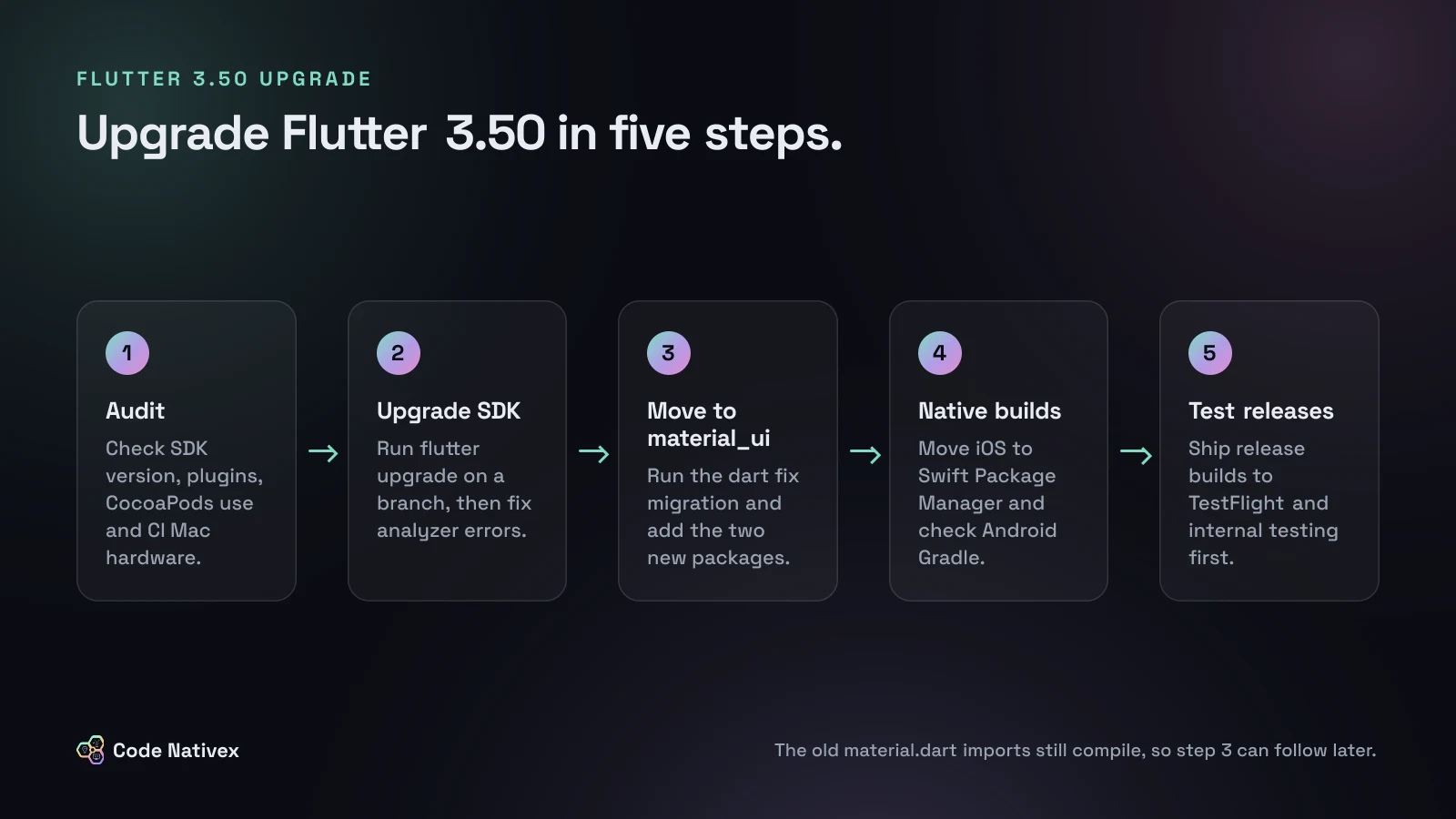
- 1.Audit. Run the checks above and write down the plugin list, CocoaPods status, and CI hardware.
- 2.Upgrade the SDK. On a branch, run
flutter upgrade, update dependencies, and fix analyzer errors (not warnings yet). Merge when tests pass. - 3.Move to material_ui and cupertino_ui. Run the automated fix in its own pull request. It touches many files, so keep it free of other changes to make review possible.
- 4.Fix native builds. Move iOS to Swift Package Manager, replace plugins that will not follow, and confirm Android builds with the new Gradle defaults.
- 5.Test release builds. Ship to TestFlight and Google Play internal testing, and test on real devices. Check deep links, localization, and anything that depends on touch timing.
Splitting the work this way means a regression points to one change, not five. It also lets you ship the SDK upgrade before the larger migration is done, because the deprecated imports still compile.
Where an outside team helps
We build cross-platform apps in React Native and Flutter through our mobile app development service. Our view, also in our Flutter vs React Native comparison, is that Flutter earns its place when the product depends on a distinctive, heavily animated interface. Those are exactly the apps where a custom theme sits on Material types, so the material_ui migration needs care rather than a blind dart fix.
An upgrade like this is a good fit for a fixed-scope engagement: an audit, a written plan, and the work split into pull requests your team can review. React Native teams face a similar cycle, which we walked through in our Expo SDK 58 upgrade guide.
Conclusion
The Flutter 3.50 upgrade has one urgent part and one important part. The urgent part is iOS: CocoaPods trunk goes read-only on December 2, so move to Swift Package Manager and check your plugins now. The important part is the material_ui migration: it is mostly automated, nothing breaks until Flutter removes the old libraries, and doing it in a clean, separate pull request keeps it low risk.
If you want a second pair of eyes on your upgrade plan, or a team to carry it out, tell us about your app and we will send a scoped plan.
Frequently asked questions
- Is material.dart removed in Flutter 3.50?
- No. Flutter 3.50 deprecates package:flutter/material.dart and package:flutter/cupertino.dart, but they still compile. The Flutter team has not announced a removal date, so you get analyzer warnings, not build failures, until you migrate to material_ui and cupertino_ui.
- How do I migrate to material_ui in Flutter 3.50?
- Add the packages with flutter pub add material_ui and flutter pub add cupertino_ui, then run dart fix --apply --code=migrate_design_widgets. The fix rewrites imports and localization delegates. Check the result in code review and run your tests before merging.
- Do I have to move my Flutter app off CocoaPods?
- Yes, soon. The CocoaPods trunk stops accepting new pods and versions on December 2, 2026, and Flutter 3.50 warns on every CLI command if Swift Package Manager is disabled. Flutter plans to remove the opt-out and later the CocoaPods fallback itself.
- Will my third-party Flutter packages break after the upgrade?
- Most keep working, because the old libraries are deprecated rather than removed. Packages whose public APIs pass Material types such as ColorScheme or TextTheme need their own migration before you can mix them with material_ui types, so check those first.
- How long does a Flutter 3.50 upgrade take?
- It depends on how far behind you are, how many plugins you use, and how much custom native code the app has. An app on 3.47 with up-to-date plugins is a short job. An app several releases behind, still on CocoaPods, needs a proper plan and a test cycle.
Written by
Shumail Rafique
Senior full stack developer at Code Nativex, building scalable web applications with modern technologies.
Meet the team