Node.js November 2026 Security Release: 16 Fixes, and What to Patch First
On November 11, Node.js shipped 22.23.5, 24.22.3, and 26.13.1 to fix 16 vulnerabilities, seven rated high. Here is which apps are most exposed, what to upgrade to, and how to stop old versions reaching production.
On November 11, the Node.js project shipped the Node.js November 2026 security release: versions 22.23.5, 24.22.3, and 26.13.1, fixing 16 vulnerabilities. Seven are rated high, and most sit in the code that serves HTTP/2 and HTTPS. If you run a web app, an API, or background workers on Node, this affects you. This guide explains what was fixed, which apps are most exposed, which version to install, and how to make sure an unpatched build cannot reach production again.
What was released
The official security release notice covers the three supported release lines. The fixed versions are:
- Node.js 26.x: 26.13.1
- Node.js 24.x: 24.22.3
- Node.js 22.x: 22.23.5
Across the 16 vulnerabilities, seven are high, six medium, and three low. None is critical. Lines 24 and 26 are affected by all 16, and line 22 by eleven of them. The releases also update bundled dependencies, including llhttp, the HTTP parser, and undici, the library behind fetch().
This comes a few weeks after the separate Node2Shell vulnerability. If you patched for that in October, you still need these versions.
Where the bugs are
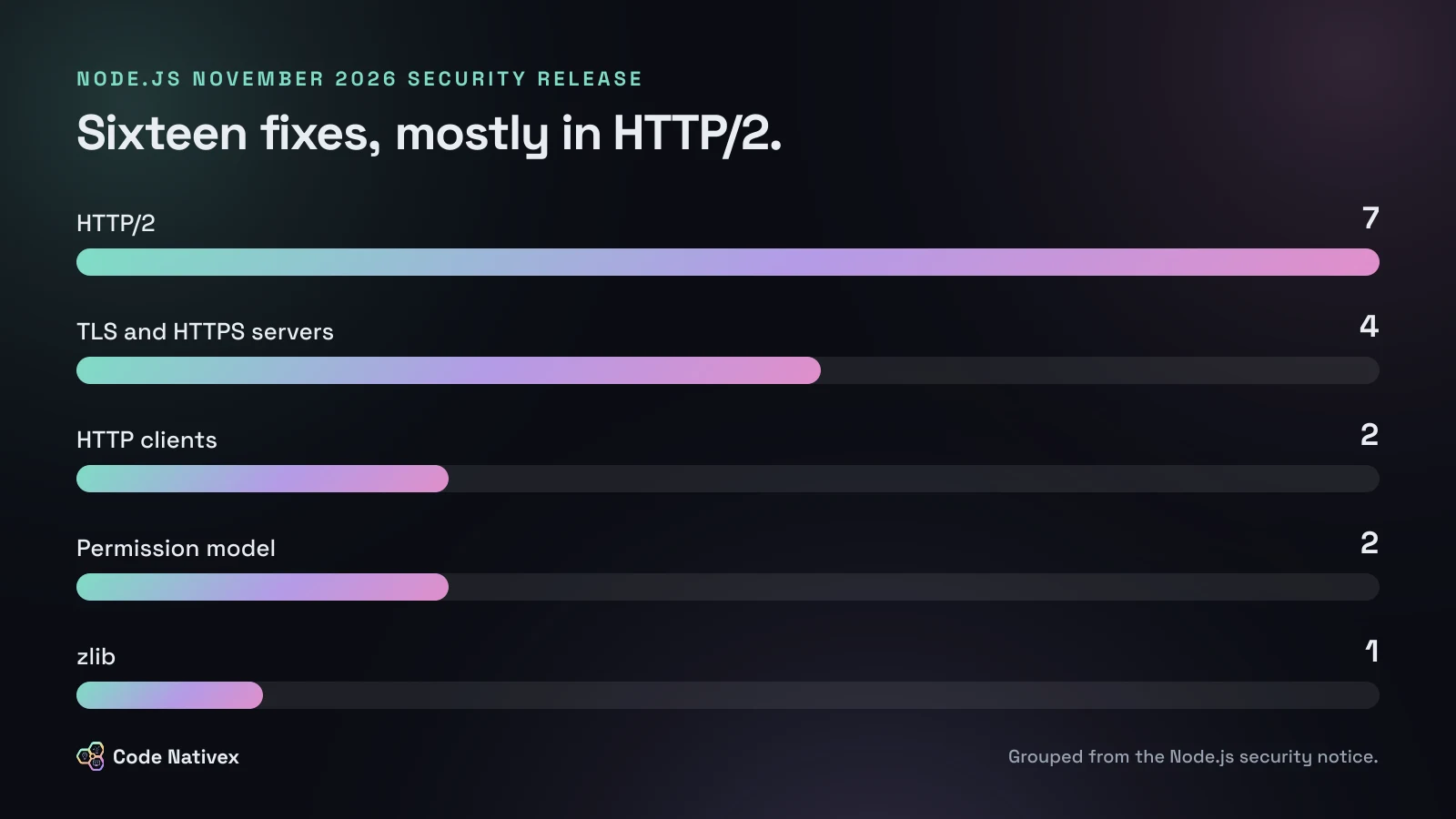
HTTP/2 (seven issues). Several let a remote client crash or exhaust an HTTP/2 server. One high-severity bug lets an unauthenticated client abort a default HTTP/2 server whose handler responds before the request body ends, which the notice describes as typical. Others leak memory and file descriptors, or involve memory being used after it is freed. Two affect apps that serve files with respondWithFile().
TLS and HTTPS servers (four issues). One can leak server memory into a request body on HTTPS servers that flush headers early. Others affect servers that use SNI callbacks, per-host certificates, or client certificate checks. One lets a TLS 1.2 client switch hostnames during renegotiation and bypass per-host client certificate rules.
HTTP clients (two issues). https.Agent could reuse a TLS session across requests with different certificate settings, skipping validation. Separately, proxy credentials taken from environment variables could appear in error messages, and therefore in logs and crash reports.
Smaller issues. Two affect the experimental permission model, and one affects zlib in an uncommon usage pattern.
Are you exposed?
Every app on an affected version should upgrade. Use this to decide how fast:
- Patch today if Node serves HTTP/2 or HTTPS directly to the internet, for example an API on a VM or container without a proxy in front, a gRPC service, or a server that uses client certificates.
- Patch this week if a load balancer, CDN, or platform terminates TLS and forwards plain HTTP/1.1 to your app. The server-side HTTP/2 and TLS bugs are much harder to reach that way, but the client-side fixes still apply to every outbound HTTPS call your app makes.
- Plan an upgrade now if you are on Node.js 20 or 25. Both reached end of life in March 2026, and the project says end-of-life versions are always affected and get no fixes.
If you use a hosting platform that manages the runtime for you, check which patch version your functions actually run and whether you control it. Do not assume a managed runtime picked up a fix on the same day.
How to patch
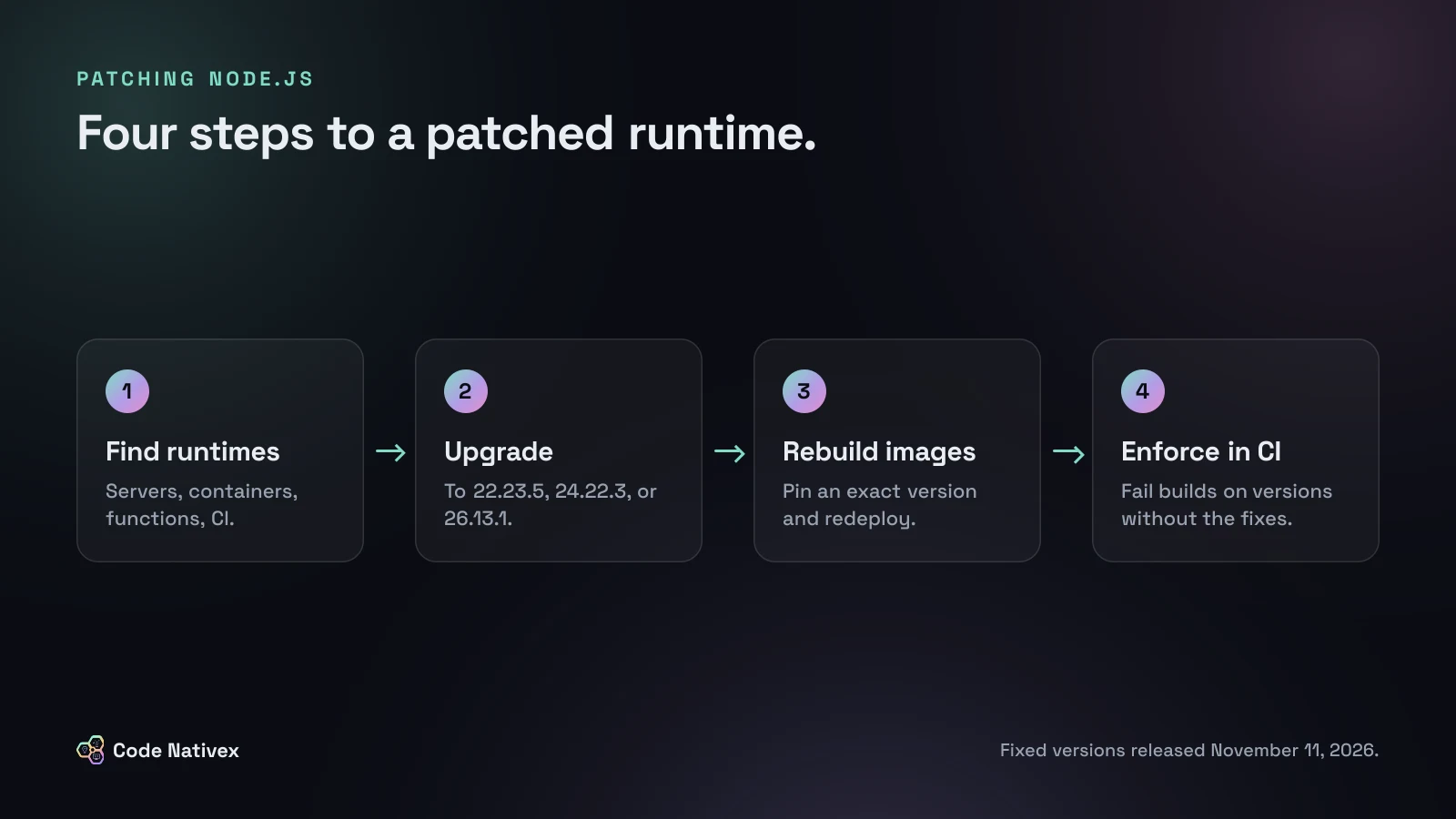
- 1.Find every runtime. List where Node runs: servers, containers, serverless functions, CI runners, build machines, and scripts on cron. Base images are the usual blind spot.
- 2.Upgrade within your line. Move to 22.23.5, 24.22.3, or 26.13.1. These are patch releases within the same major version, so breaking changes are unlikely, but run your test suite anyway.
- 3.Rebuild and redeploy images. A Dockerfile that says
FROM node:24only picks up the fix when the image is rebuilt and the new tag is pulled. Pin an exact version so builds are repeatable. - 4.Enforce a minimum in CI. Fail the build when Node is older than the fixed version, so a stale runner or image cannot ship.
A small script is enough for step 4. Run it at the start of your CI job and in your container's build step:
// scripts/check-node.mjs: fail on Node versions without the November 11, 2026 fixes
const fixed = { 22: [23, 5], 24: [22, 3], 26: [13, 1] };
const [major, minor, patch] = process.versions.node.split(".").map(Number);

if (!fixed[major]) {
  console.error(`Node ${major} is not a supported line. Upgrade to 22, 24, or 26.`);
  process.exit(1);
}

const [minMinor, minPatch] = fixed[major];
if (minor < minMinor || (minor === minMinor && patch < minPatch)) {
  console.error(`Node ${process.versions.node} is missing security fixes.`);
  process.exit(1);
}
console.log(`Node ${process.versions.node} includes the November 2026 fixes.`);
Update the table with each security release. It takes a minute, and it turns a missed patch into a failed build rather than a production incident.
Choosing a release line
If you are upgrading anyway, it is a good moment to check your major version. The Node.js releases page lists 22, 24, and 26 as LTS lines, and recommends that production apps use only LTS releases. Odd-numbered lines such as 25 and 27 are short-lived and should not run in production.
For most teams, the sensible path is to stay on your current LTS line for this patch, then schedule a move to the newest LTS line as a separate change with its own testing. Mixing a security patch with a major upgrade makes both harder to roll back.
Beyond this release
Node now ships coordinated security releases every few weeks. Teams that handle them calmly usually have three things in place:
- An inventory of every service and its runtime version, kept in code rather than in someone's memory.
- Automated dependency updates that open pull requests for Node base image changes.
- A short runbook with owners, so the next notice becomes a routine task, not a fire drill.
The same habits apply to frameworks. Our post on the Next.js November 2026 security release covers the framework side, and our guide on how to rotate secrets after a breach covers what to do if proxy credentials ever leaked into your logs.
How we keep client runtimes patched
When we build and maintain web apps, the runtime version is pinned in the repository, CI checks it on every build, and security releases are applied as their own small change. Our web app development service covers the build, the deployment pipeline, and ongoing maintenance.
The bottom line
The Node.js November 2026 security release fixes 16 vulnerabilities, seven of them high, mostly in HTTP/2 and TLS. Upgrade to 22.23.5, 24.22.3, or 26.13.1, rebuild your images, and move off Node.js 20 and 25. Then add a version check to CI so the next release takes minutes, not a week.
Want a second pair of eyes on your Node.js stack or deployment pipeline? Contact us and we will take a look.
Frequently asked questions
- Which Node.js versions fix the November 2026 vulnerabilities?
- Node.js 22.23.5, 24.22.3, and 26.13.1, all released on November 11, 2026. Any earlier version on those lines is affected by at least some of the 16 fixed vulnerabilities.
- How serious is the Node.js November 2026 security release?
- The highest severity is high, and seven of the 16 issues are rated high. Several let an unauthenticated client crash an HTTP/2 server, leak memory, or read server memory under specific conditions, so it is worth patching this week rather than at the next routine upgrade.
- Is Node.js 20 affected?
- Yes. The Node.js project says end-of-life versions are always affected when a security release occurs, and it does not ship fixes for them. Node.js 20 and Node.js 25 both reached end of life in March 2026.
- My app runs behind a load balancer. Do I still need to patch?
- Yes. A proxy that terminates TLS and talks plain HTTP/1.1 to your app reduces your exposure to the HTTP/2 and TLS server bugs, but several fixes affect outbound HTTPS requests and error messages, which a proxy does not protect.
- Is this the same as the Node2Shell vulnerability?
- No. Node2Shell was a separate Brotli decompression flaw fixed in October. The November releases fix a different set of 16 vulnerabilities, so you need the November versions even if you already patched for Node2Shell.