AWS Lambda 30-Minute Timeout: What Changed and When to Use It
On November 19, AWS doubled the Lambda timeout for on-demand Event Functions to 30 minutes. Here is what changed, how to set it, and the settings that break if you only change one number.
 Tayyeb FeroziSenior Full Stack Developer
On November 19, AWS announced an AWS Lambda 30 minute timeout for Event Functions that run on demand, doubling the 15-minute limit that has stood since 2018. AI agent runs, video processing, report generation, and big imports that used to need a workaround can now fit in a single invocation. But the timeout is one number in a chain of settings, and changing only that number is how teams end up with duplicate jobs and stuck queues. This guide covers what changed, how to configure it, and what to check before you raise it.
What AWS announced
According to the AWS Compute Blog announcement, Event Functions that run on demand now support up to 30 minutes for synchronous, asynchronous, and event source mapping invocations. On Lambda Managed Instances, synchronous invocations also go to 30 minutes, while asynchronous and event source mapping invocations keep the 90-minute limit AWS announced in September.
It is available in all commercial AWS Regions, and standard Lambda pricing applies. The same limit applies when you use durable functions or call Lambda from Step Functions Standard workflows.
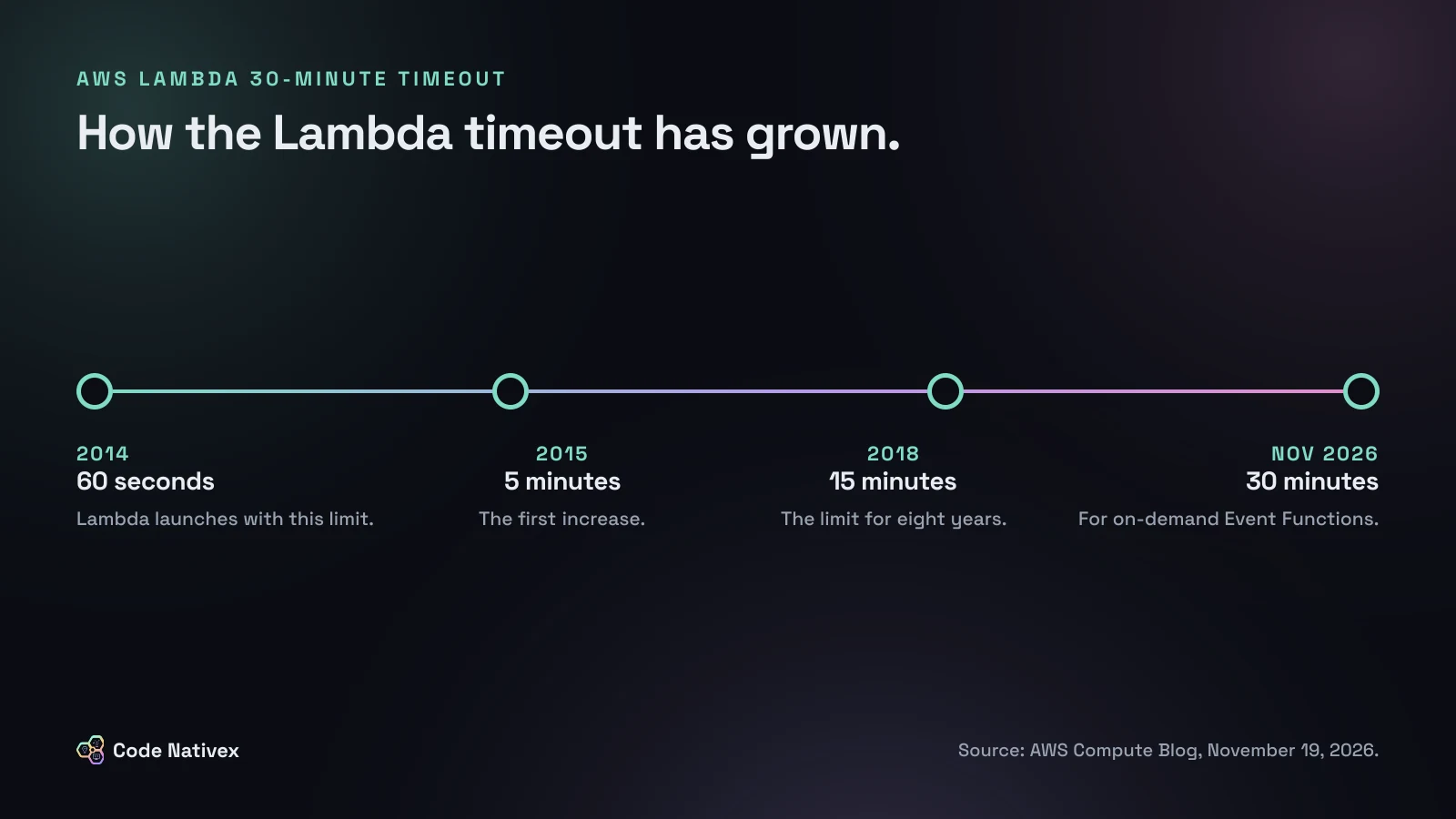
A note on naming: AWS now describes Lambda as three form factors. Event Functions are the classic functions triggered by events, Web Functions run HTTP servers and stay at 15 minutes, and MicroVMs run isolated environments for up to 8 hours. If you have been using Lambda for years, your existing functions are Event Functions.
How to set it
You change one setting. With the AWS CLI:
aws lambda update-function-configuration \
  --function-name my-demo-function \
  --timeout 1800
In a SAM template, it is the Timeout property. Here is a worker that processes jobs from SQS, with the queue configured to match:
Resources:
  ReportQueue:
    Type: AWS::SQS::Queue
    Properties:
      VisibilityTimeout: 10800        # at least 6 x the function timeout
  ReportWorker:
    Type: AWS::Serverless::Function
    Properties:
      Runtime: nodejs24.x
      Handler: index.handler
      Timeout: 1800                   # 30 minutes
      MemorySize: 2048
      Events:
        Jobs:
          Type: SQS
          Properties:
            Queue: !GetAtt ReportQueue.Arn
            BatchSize: 1
            FunctionResponseTypes: [ReportBatchItemFailures]
The new limit applies to invocations that start after you update the function. For event source mappings, AWS says to allow a few minutes for the change to propagate. Values above the limit are rejected with a validation error.
What to check before you raise it
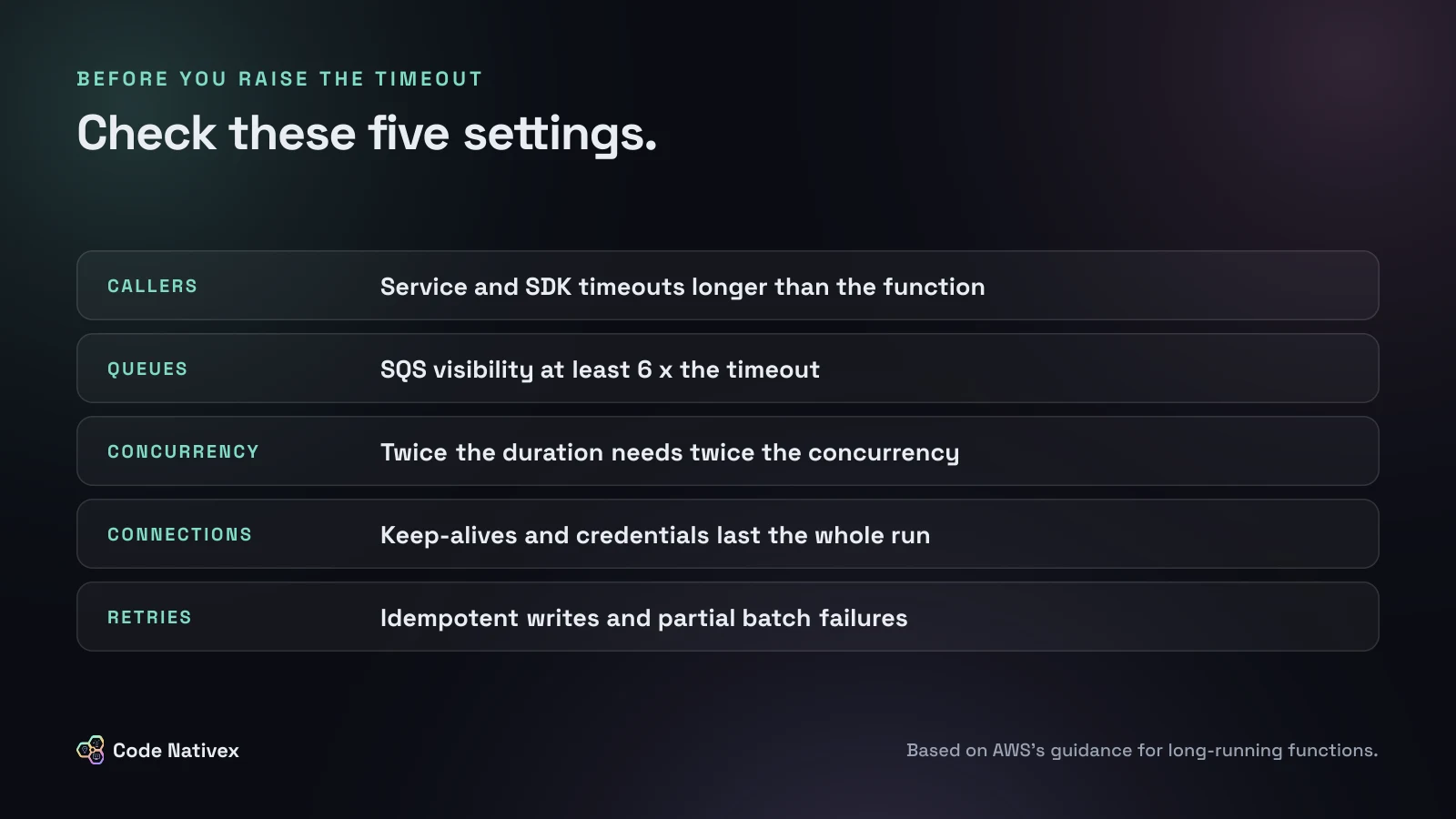
Callers. When another service invokes your function synchronously, that service applies its own timeout. Check it supports the longer duration before you raise the function's. If you call Lambda from your own code, set your SDK client's read and socket timeouts longer than the function timeout.
Queues. For SQS, AWS recommends a visibility timeout of at least six times the function timeout, so at least 3 hours for a 30-minute function. Lambda checks this when you create the mapping, but not when you later change the queue or the function. For Kinesis and DynamoDB Streams, longer runs slow how fast each shard is read, so watch the IteratorAge metric.
Concurrency. Concurrency equals requests per second times average duration. AWS's example: one request per second at 30 minutes each needs 1,800 concurrent executions. The default Lambda quota is 1,000 concurrent executions per Region, so check your quota before you raise the timeout on a busy function.
Connections and credentials. Long runs outlive idle connections. AWS points out that a NAT gateway drops idle connections after 350 seconds, so send keep-alive packets, and make sure database and API connections tolerate the full duration. Temporary credentials and tokens should stay valid for the whole run or refresh in the background.
Retries and duplicates. Lambda does not guarantee exactly-once processing, and a longer run widens the window for retries. Asynchronous invocations retry up to twice by default. Make writes and payments idempotent, and turn on partial batch failure reporting so only failed records are retried.
Exceptions that stay at 14 minutes
Not every trigger gets the new limit. Invocations from Amazon MQ (ActiveMQ and RabbitMQ) and Amazon DocumentDB event source mappings stay limited to 14 minutes. So do Kafka event source mappings created before November 19, 2026 that do not use provisioned mode. To use 30 minutes with Kafka, create a new mapping or turn on provisioned mode for the existing one.
When 30 minutes is not the right answer
A longer timeout makes one invocation longer. It does not make a long job safe to fail. AWS's own example: a 25-minute inference run that fails at minute 22 starts again from zero, unless it uses durable functions, in which case it resumes from its last checkpoint.
A practical rule of thumb:
- Use the 30-minute timeout alone for idempotent jobs that are cheap to retry, such as an import step triggered by SQS.
- Add durable functions when a rerun is expensive, such as long AI agent runs or large media jobs, so work is checkpointed.
- Do not hold a user's HTTP request open for long jobs. Start the job asynchronously, return a job ID, and notify or let the client poll. Our guide to background jobs in Next.js shows this pattern for web apps.
For AI features in particular, chained model calls and tool use can run long. Our guide to reducing AI agent latency covers how to shorten those runs before you pay for longer ones. And if you want to test Lambda-backed code locally before deploying, our comparison of AWS Emulator vs LocalStack covers your options.
How we build long-running jobs for clients
When we build AI agents and data-heavy features, long work runs in background jobs with idempotent steps, explicit timeouts at every layer, and progress the user can see. Our AI agent development service covers the agent, the job infrastructure behind it, and the monitoring that tells you when a run is stuck.
The bottom line
The AWS Lambda 30-minute timeout lets on-demand Event Functions run twice as long, in all commercial Regions, at standard pricing. Set the timeout to 1,800 seconds, then line up everything around it: caller timeouts, SQS visibility, concurrency, keep-alives, and idempotency. For jobs that are expensive to rerun, add durable functions so a late failure does not cost you the whole run.
Planning a product with long-running AI or data jobs? Tell us about it and we will send a fixed-scope proposal.
Frequently asked questions
- What is the maximum AWS Lambda timeout now?
- For Event Functions that run on demand, it is 30 minutes (1,800 seconds) for synchronous, asynchronous, and event source mapping invocations. On Lambda Managed Instances, asynchronous and event source mapping invocations can run for up to 90 minutes, and synchronous invocations for up to 30 minutes.
- Does the 30-minute Lambda timeout cost more?
- AWS says standard Lambda pricing applies. You still pay for duration, so a function that runs twice as long costs about twice as much per invocation.
- Do I need to change my code to use the 30-minute timeout?
- No. You update the function's timeout setting, and your runtime, handler, IAM role, and VPC configuration stay the same. The new limit applies to invocations that start after the update.
- What SQS visibility timeout should I use with a 30-minute Lambda function?
- AWS recommends a visibility timeout of at least six times the function timeout, so at least 3 hours (10,800 seconds) for a 30-minute function.
- Can an API Gateway request wait 30 minutes for Lambda?
- Not necessarily. AWS notes that when another service invokes your function synchronously, that service applies its own timeout. For user-facing requests, it is usually better to start the job asynchronously and return a job ID.
Written by
Tayyeb Ferozi
Senior full stack developer at Code Nativex, delivering full-cycle products from the database and backend to the user interface.
Meet the team